

Subscribe To Our Newsletter!
Subscribe to the newsletter to stay up to date with the latest news and most useful
Newsletter
↑
Back to Top


There’s a quiet little thrill the first time you swap out an old storage drive for something faster. The laptop boots quicker files stop dragging their feet even simple tasks feel lighter somehow. That was our first thought while testing the WD Green SN3000 SSD. Nothing dramatic happened no fireworks no loud claims but the difference was noticeable in that calm practical way technology sometimes improves life.
Western Digital has always performed an intriguing game with its Green lineup. These drives are not trying to reach unprecedented speeds or compete with showy gaming SSDs. Instead they focus on everyday reliability steady performance low power usage. The SN3000 follows that same philosophy.
It’s a drive built for normal people students juggling assignments office workers drowning in spreadsheets someone quietly editing photos late at night. In this review we’ll walk through what the WD Green SN3000 actually offers: its design performance durability and the subtle strengths that make it worth considering.


Before diving deeper let’s glance at the core specifications. They tell a simple story practical hardware aimed at daily computing rather than extreme workloads.
Numbers never tell the whole story though. Real use the quiet daily grind of files opening programs loading and operating systems waking up is where a drive proves its value.
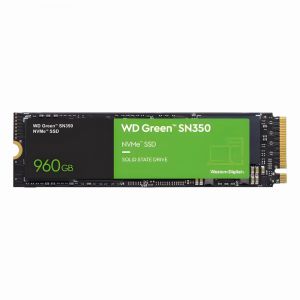
At first glance the SN3000 looks almost modest. No shiny heatsinks no RGB nonsense just a slim green colored PCB holding a few carefully placed chips. The simplicity feels intentional.
The M.2 2280 format means installation is usually painless. One screw a small slot on the motherboard done. If you’ve ever installed RAM the process feels familiar. Western Digital did not design this drive to show off. It’s meant to sit quietly inside your machine doing its job without demanding attention. Sometimes that’s exactly what you want.
Speed is where most people start asking questions. And honestly? The SN3000 performs exactly the way a sensible NVMe SSD should. Boot times shrink noticeably. A Windows system that used to take nearly half a minute suddenly wakes up in seconds. Programs like browsers office tools and lightweight editing software open with a satisfying snap.


Storage devices live quiet stressful lives. Every saved file every system update every temporary cache writes tiny bits of data repeatedly. Over time weaker drives begin to stumble.
The SN3000 leans on Western Digital’s NAND flash technology which is designed to manage these constant write cycles efficiently. Built in monitoring tools S.M.A.R.T support help track the drive’s health TRIM commands keep performance from slowly degrading.
Heat is the quiet enemy of SSDs. Push them hard enough temperatures climb performance drops. Interestingly the SN3000 stays fairly cool during typical workloads. Without a bulky heatsink it relies mostly on efficient power handling and the natural airflow inside a PC case.
One area where the WD Green series quietly shines is energy efficiency. The SN3000 draws relatively little power compared to high performance NVMe drives. For desktop users this might not matter much. But on laptops? The difference becomes noticeable over time.


Every piece of hardware comes with trade offs. The SN3000 is no exception.
Even so its strengths line up neatly with the audience it targets.
The WD Green SN3000 is not trying to impress enthusiasts or benchmark hunters. It does not brag. It does not pretend to be revolutionary. Instead it quietly does what a storage drive should do store data reliably respond quickly stay out of the way. For someone upgrading from an old HDD the improvement feels almost magical. For those already using faster NVMe drives it simply feels dependable. And maybe that’s the real point. Technology does not always need to shout to be useful. Sometimes it just works day after day while life moves along around it.


Your email address will not be published. Required fields are marked *