

Subscribe To Our Newsletter!
Subscribe to the newsletter to stay up to date with the latest news and most useful
Newsletter
↑
Back to Top


Western Digital usually has something interesting in store. The WD Blue SN5000 is no different. It's their NVMe SSD where they are aiming for the comfortable middle ground. It's for folks who want a good mix of speed, reliability, and not-too-crazy prices.
This drive is for creators, professionals, and everyday users, really. It's a step up from the last one. You get better performance now. Bigger storage options, too! And it supports Gen4.
All this, while keeping the price competitive. But how does it perform when you are using it every day? In this review, we will look at everything. We will try to cover its design, it is fast, the good stuff, and the bad stuff. And, of course, doesn’t matter that it's even worth buying in today's packed SSD market.


Here you will get to know what WD Blue SN5000 is offering.
· It has PCIe Gen4 x4 NVMe 1.4 interface
· Has M.2 2280 form factor
· It has different capacities, which are 500GB, 1TB, and 2TB
· Up to 5,150 MB/s sequential read speed
· Up to 4,900 MB/s sequential write speed
· Has 3D NAND
· It offers 300 TBW (500GB), 600 TBW (1TB), 1200 TBW (2TB) endurance
· Up to 1.5 million hours MTTF
· Low power mode supported
· WD Dashboard, Acronis True Image for data migration
· 5-year limited warranty
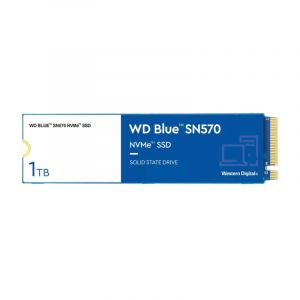
The WD Blue SN5000 looks pretty familiar. It's got that classic blue circuit board, just like other blue series drives. It's also very standard M.2 2280 size. That means it should fit and work on most desktops and laptops without a snag.
It doesn’t have a heatsink or flashy RGB lights here. That's pretty normal for this price range, honestly. Instead, Western Digital went for simple and practical.
Even without the visual accompaniments, it feels well-made and robust. The labels are clear, too. And installing it is a breeze, thanks to that universal M.2 connection.
The WD Blue SN5000 is fairly remarkable. It doesn't have DRAM, but it has PCIe Gen4 x4. This little drive hits above its weight. It can hit read speeds up to 5,150 MB/s, and write speeds go up to 4,900 MB/s on bigger models.
In everyday working, the SN5000 handles everything easily. You need to think about booting up Windows or launching apps. Even moving huge files. If you are editing 4K video, juggling tons of browser tabs while gaming, and this drive won't slow down.
Now, since it's DRAM-less, it uses something called Host Memory Buffer. This helps with caching, but you might see small performance drops during really long, sustained tasks.
It works great for gaming, office work, or even light creative stuff.


Western Digital gives the SN5000 a pretty good endurance rating. The 1TB version, for example, is rated for 600 TBW.
That should easily be enough for most people. So, if you are a gamer, experiment in content creation, or just handle lots of documents and photos for work, the SN5000 is built to last.
This drive also has some crafty power-saving features. It supports a low-power mode, which is great for laptops and mobile workstations.
WD includes its own special software and error correction. This helps make sure the drive stays reliable over time. It might not have the super-high endurance of those really expensive drives, but it holds its own in the middle tier.
Western Digital gives you a free tool known as Dashboard. It's super handy. You can use it to check your drive's health. See its performance stats and find any new software updates.
The program itself is easy to use. It's light, not bloated at all. It just gets the job done.
It's really helpful if you just want a quick peek at your SSD or if you need to wipe data securely. Plus, it works pretty well with cloning software. That makes upgrading a breeze if you are swapping out an old drive.
In daily use, the WD Blue SN5000 just feels fast. Your computer starts almost instantly. Apps open in a snap, and moving files around is quick and reliable.
For gaming, load times were solid. No annoying stutters, even if you are using a huge open-world game.
If you are a creator using Adobe Photoshop or Premiere Pro. This drive handles most tasks well.
It's also a fantastic choice for upgrading laptops. It uses very little power, and it's super compact. So, if you are building a budget PC or just giving an older machine a boost. The SN5000 makes a difference. You will feel that speed instantly.


All the good and bad is here.
· It has solid Gen4 performance at a budget-friendly price
· It offers fast boot and load times for everyday use
· Gives low power consumption, which is ideal for laptops
· It has a very simple, clean design
· It is a reliable brand backing and easy-to-use dashboard software
· Its DRAM-less design can affect sustained workloads
· Doesn’t have a heatsink for thermal control
· This drive is not ideal for high-end content creators or data-intensive tasks
· Its performance varies slightly across different capacity models
The WD Blue SN5000 is a fantastic middle-of-the-road SSD. It brings reliable Gen4 performance which is pretty much for everyone. This drive is for users who prefer good speed. Better than average, even! But they don't want to pay extra for all those fancy, premium features.


Your email address will not be published. Required fields are marked *