

Subscribe To Our Newsletter!
Subscribe to the newsletter to stay up to date with the latest news and most useful
Newsletter
↑
Back to Top


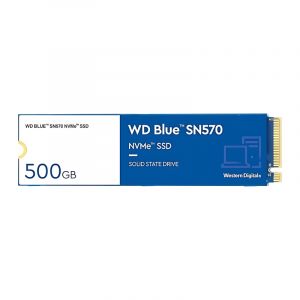
The WD Blue SN500 is a small drive, and it's affordable. Lots of PC users love it. Especially if they're ditching those old SATA drives.
It's not some super fancy, top-of-the-line model. It doesn't even try to be. But here's what it does give you. A great balance of solid speed. Reliability you can count on and a good price. That makes it perfect. For everyday computer use, upgrading a laptop, building a new PC on a budget, or just wanting faster storage, without spending too much. This drive should be on your radar.


· The model is WD Blue SN500
· M.2 2280 Form Factor
· PCIe Gen3 x2, NVMe 1.3 Interface
· Available in different capacities, which are 250GB and 500GB
· 3D NAND Flash
· Up to 1,700 MB/s sequential read speed
· Up to 1,450 MB/s sequential write speed
· Up to 275,000 / 300,000 random read/write (IOPS)
· No DRAM Cache
· 150 TBW (500GB) Endurance
· 1.75 million hours MTBF
· 0°C to 70°C operating temperature
· -40°C to 85°C storage temperature
· 1500G / 0.5ms shock resistance
· 2.7W active, 3mW idle power consumption
· 3-year limited warranty
· 80mm x 22mm x 2.38mm dimensions
This SSD uses a PCIe Gen3 x2 connection. Sounds a bit slower, right? Like a step down from those fancier x4 drives. But don't let that fool you. The SN500 still hits impressive speeds. Reads up to 1,700 MB/s and writes around 1,450 MB/s. That's a huge jump, which is way better than old SATA SSDs. It makes a real difference. Your computer starts faster. Apps open quicker. Everything just feels snappier.
One of the best things about the WD Blue SN500 is, it is made for everyday people. Seriously. It's not trying to win speed contests. Not just for showing off, anyway. Instead, it just focuses. On being reliable. For your daily stuff. Like editing documents or watching movies. Even some light gaming or a bit of creative work.
You can get it in 250GB or 500GB. Not massive but plenty for most casual users. Especially if you use cloud storage or external drives. For your really big files.


This drive doesn't have its dedicated memory chip. It uses something called the Host Memory Buffer. That lets it borrow a tiny bit of your computer's main memory. Just for quick tasks. It's not quite as fast as drives with their memory. But this clever trick saves money and uses less power.
The SN500 stays pretty cool. Even when it's working hard. That's great for thin laptops. Or computers without much airflow. You won't need a heatsink or any extra cooling. It just performs perfectly.
In day-to-day use, the SN500 just feels quick. Windows start in a flash, and files pop open. Instantly software installs and gives no more dragging. You can easily move huge folders or big videos, super smooth and multitasking, even with lots of apps open, it's easy.
Now, it's not for super tough jobs. Like 4K video editing or heavy rendering. But for everything else, it's totally capable. More than enough. Even gamers will like it. Load times shrink. In most new games. Though it won't be as fast as those top-tier Gen4 drives. Not for raw speed, anyway.
WD isn't big on fancy software. No flashy tools, but it plays nicely with regular programs. You can check on it easily. See its health. It's temperature, too. All super simple. Need an update, WD has a Dashboard program. It's straightforward. So easy to use, it's not flashy, but it works. Perfectly. For anyone who likes to keep an eye on their PC's insides.
Talking about the use cases of SN500.
This SN500 isn't a super-powered beast. Not a performance monster, but it's still awesome for gamers. Especially if you're on a budget. It's a cheap way to make games load faster. Games on this drive load quicker way faster than old hard drives. Or even those regular SATA SSDs and updates, installing new stuff, that's faster, too.
This SSD is amazing for school or the office. It shines there. Documents pop open instantly. Presentations load so smoothly, and jumping between tabs or different programs. No lag at all. It's super quiet. Uses little power and just gets the job done.
Most people just want their computer to work. You know, no waiting around. The SN500 helps a lot with that. It makes everything feel snappier. From just browsing the web to watching videos, and even moving files around. It's a real difference.


Here are some pros and cons:
· It is affordable NVMe performance
· This drive is excellent for upgrading older systems
· It is a very efficient thermal and power management
· It uses Host Memory Buffer to reduce cost
· It has a small and compact form factor
· It gives reliable performance for daily tasks
· Comes with a 3-year warranty
· Doesn’t have DRAM cache
· This drive is not ideal for large file editing or enterprise use
· Doesn’t have built-in encryption or advanced security features
· It has lower endurance than some competitors
The WD Blue SN500 might not have all those fancy bells and whistles. Like, from super high-end SSDs. But it doesn't even need them. It's built for a specific kind of person. Someone who wants reliable performance but on a budget. It delivers. It brings NVMe speeds to more people. Without making them pay a fortune. Or dealing with complicated stuff.


Your email address will not be published. Required fields are marked *