

Subscribe To Our Newsletter!
Subscribe to the newsletter to stay up to date with the latest news and most useful
Newsletter
↑
Back to Top


Last week, a client asked us a simple but loaded question: “Are external hard drives still worth it in 2026?” It sounds basic - until you look at the numbers. IDC presents the global datasphere touching 175 zettabytes, while AI data centers continue to mushroom aggressively. Simultaneously, global public cloud spending has crossed $500 billion. With data exploding and infrastructure evolving, storage decisions are no longer casual purchases. They’re strategic choices. From portable drives to enterprise NVMe racks, TechAtlantix sees storage as an ecosystem - not a single device.
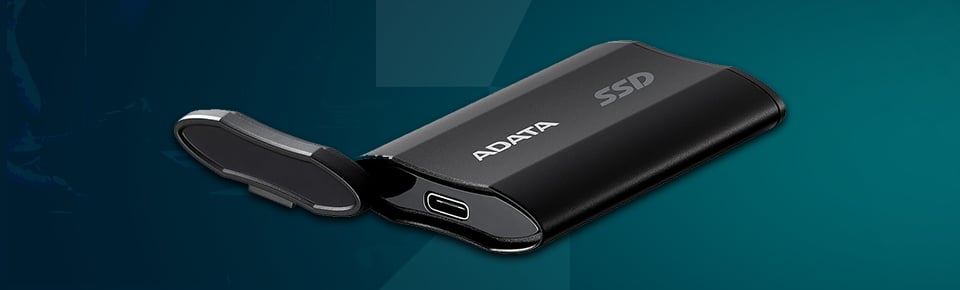
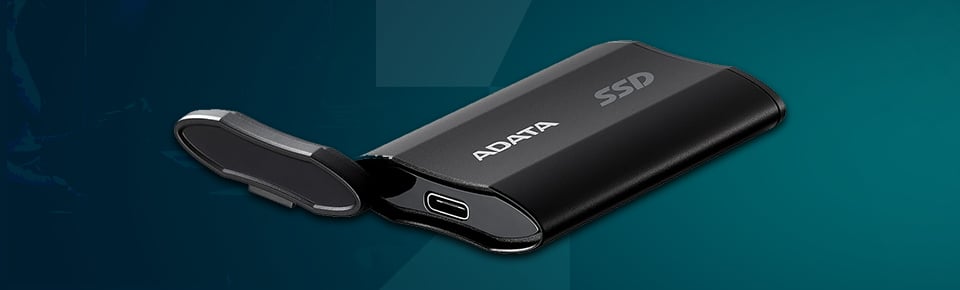
Storage in 2026 operates in layers. At the top, AI data centers run on infrastructure-scale, high-performance internal storage systems built for real-time workloads. Subsequently, there is cloud computing - adaptable, scalable, yet governed by ongoing subscription expense. SSDs dominate performance-driven environments where speed and longevity hold high significance. And then there are external hard drives: affordable, portable, and independent of the internet.
Each layer serves a purpose. Cloud delivers elasticity. SSDs deliver speed. Enterprise clusters deliver scale. External HDDs deliver affordability and control. The difference is not technological superiority - it’s workload alignment.
When comparing cost per terabyte, traditional HDD-based external drives still outperform SSDs and cloud subscriptions for cold storage. In contrast, SSDs win in latency and durability. Cloud wins in distributed access and scalability. But ownership and physical control? That still belongs to hardware you hold in your hand.
External drives are not obsolete. They are specialized tools within a broader hierarchy. The mistake is treating them as either outdated relics or universal solutions.
An external hard drive is a portable storage device - using either HDD or SSD technology - that connects through USB, Thunderbolt, or similar interfaces. Unlike internal drives, they operate outside the system chassis. Unlike NAS systems, they are not network-dependent. And unlike cloud storage, they don’t require an internet connection or subscription.
There are several variants. External HDDs focus on large capacity at lower cost. External SSDs prioritize speed and shock resistance. Rugged drives are built for fieldwork. Encrypted enterprise portable drives are designed for compliance-heavy environments.
What makes them relevant isn’t complexity. It’s simplicity. They extend storage, enable backups, and move data physically between environments. That straightforward function remains powerful - if deployed correctly.


External hard drives continue to hold strategic advantages when matched to the right workloads.
If your objective is bulk storage, traditional HDD-based external drives remain one of the most cost-effective solutions available. The price per terabyte is significantly lower than SSD alternatives, and unlike cloud storage, there is no recurring subscription model. You buy it once. You own it. For archival data, media libraries, or backup copies, that one-time investment can make financial sense.
One overlooked advantage is air-gapped protection. According to CISA’s ransomware mitigation guidance, maintaining offline backups is critical in defending against ransomware. An external drive that is disconnected from networks cannot be encrypted remotely by malicious actors. In a threat landscape where ransomware is evolving, that physical separation matters.
Creators, field engineers, and even AI researchers regularly transfer datasets physically. External drives facilitate terabytes of data to flow between offices, studios, and labs without depending on upload bandwidth. For edge computing situations, this portability remains of high significance.
External drives are largely plug-and-play. Most operating systems detect them instantly. No infrastructure overhaul. No specialized training. For small teams and individual professionals, this ease of deployment lowers the barrier to implementing structured backups.
External drives are strongest in backup, archiving, and controlled portability. They are not designed for real-time AI model training clusters - and they don’t need to be.
Portability brings power - but also risk.
Traditional HDDs contain moving parts, which inevitably undergo wear and tear. While modern drives are dependable, mechanical degradation is unavoidable over time. Ignoring lifecycle planning can’t be called a strategy.
In 2006, the U.S. Department of Veterans Affairs lost an external hard drive containing data of 26.5 million veterans - a case widely reported by The New York Times. That incident highlighted the vulnerability of portable storage. Encryption is no longer optional - It’s essential. The NIST SP 800-111 Storage Encryption Guide outlines best practices for protecting data at rest. If data leaves your building unencrypted, risk accompanies with it.
External drives linked via outdated USB standards may impact performance. They are unsuitable for high-frequency transactional databases or AI training environments that require ultra-low latency and parallel throughput.
Cloud platforms scale elastically. SAN systems expand through modular architecture. External drives, by contrast, scale manually. More drives mean more management complexity.
A drive may cost a few hundred dollars. A data breach can cost millions. IBM’s Cost of a Data Breach Report consistently places the global average breach cost in the millions of dollars. Cheap hardware without governance can become an expensive liability. Convenience without control is a risk multiplier.
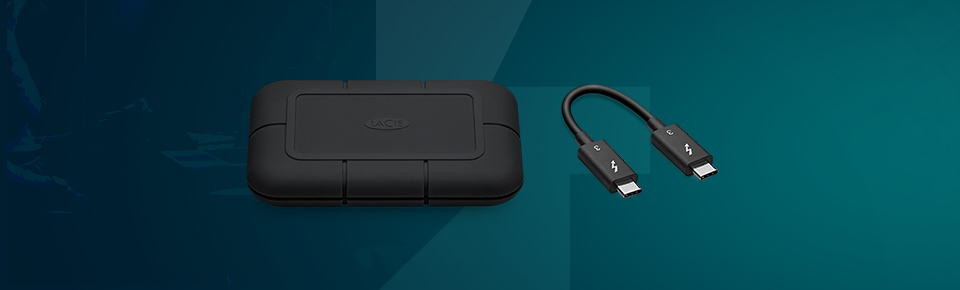
Students and personal users rely on them for academic backups and media storage. Creators and media houses store large raw video files during production cycles. Even data-heavy platforms - like large streaming companies - operate layered storage pipelines where portable drives may play a role at the edge before data enters centralized systems.
In healthcare, secure offline transfer of imaging archives can support compliance-driven workflows. SMBs frequently combine hybrid cloud with external backup strategies to balance cost and redundancy.
AI labs may use external drives to transport datasets between environments - but not to run model training clusters. That distinction matters.
External drives are edge tools. They support workflows. They do not replace infrastructure.
Smart deployment begins with thorough assessment – while ends at smart management.
Start by auditing your data volume and growth projections. Understand what is operational, archival, or sensitive. Identify whether the workload is backup-focused, transfer-based, or actively processed. Compliance requirements - HIPAA, GDPR, or sector-specific regulations - should influence every decision.
Choose the right type. HDD for bulk storage. SSD for performance. Encrypted enterprise-grade drives for sensitive data. Verify interface compatibility - USB-C, Thunderbolt, or RAID integration. Review manufacturer reliability trends, such as those published in Backblaze’s reports.
At TechAtlantix, this is where advisory support matters. Here it is not just about hardware supplies - but it also focuses on alignment of storage devices with enterprise infrastructure realities.
Enable hardware encryption from day one. Follow NIST encryption recommendations. Implement the 3-2-1 backup rule: three copies, two media types, one offsite. Maintain at least one air-gapped copy for ransomware resilience.
Integrate external drives into broader ecosystems - cloud backups, NAS systems, or enterprise servers. Establish labeling protocols, documentation standards, and access controls. Storage must integrate, not operate in isolation.
TechAtlantix supports unified planning - from portable encrypted drives to rack-mounted enterprise storage - ensuring compatibility across environments.
Monitor SMART health indicators. Rotate drives periodically. Replace hardware before failure thresholds are reached. Maintain redundancy.
Finally, we can safely conclude storage is not a simple purchase – but It is an eco-system which requires smart management.
External drives are not appropriate for high-frequency transactional databases or real-time AI training clusters. They are unsuitable for mission-critical systems lacking redundancy. And in zero-encryption environments, they amplify risk. Understanding limits prevents over reliance.


AI-driven storage hierarchies are becoming standard. Cloud spending continues rising globally according to a study by Statista, yet physical storage remains relevant for cost-efficient cold storage. Sustainability trends and refurbished enterprise hardware are also reshaping procurement strategies.
The future is hybrid. Portable encrypted drives will support edge AI workflows. Enterprise SSD clusters will power core computation. Cloud will handle distributed scalability. At TechAtlantix, we see the entire spectrum - from portable drives to AI infrastructure racks - as interconnected components of a larger ecosystem. Hybrid beats singular - Every time!
External hard drives have not become obsolete - neither we can call them ideal choice. They're light on pocket, portable, and reliable when used smartly. If unmanaged, unencrypted, or used for the improper task, they might pose security risks and scaling issues. The decision in 2026 is not HDD versus SSD versus cloud. It is about layering solutions strategically. Build layered storage, not blind storage. Audit your storage strategy before your data audits you - and talk to TechAtlantix before scaling your IT hardware.
What are the advantages and disadvantages of external hard drives?
External hard drives are budget-friendly, portable, and appropriate for backups. However, they can breakdown mechanically; compared to SSDs they are slower, and can be lost or stolen if not secured properly.
Why use external drives for backup?
They offer offline protection, easy setup, and no cloud fees.
What are the disadvantages of HDDs?
Their moving parts slow them down and wear them out.
What’s the biggest risk of external equipment?
Physical risk - damage, theft, or mishandling.
What are three main disadvantages?
Speed issues, security threats if lost or unencrypted, and team growth management issues.


Your email address will not be published. Required fields are marked *