

Subscribe To Our Newsletter!
Subscribe to the newsletter to stay up to date with the latest news and most useful
Newsletter
↑
Back to Top



Product Overview |
|---|
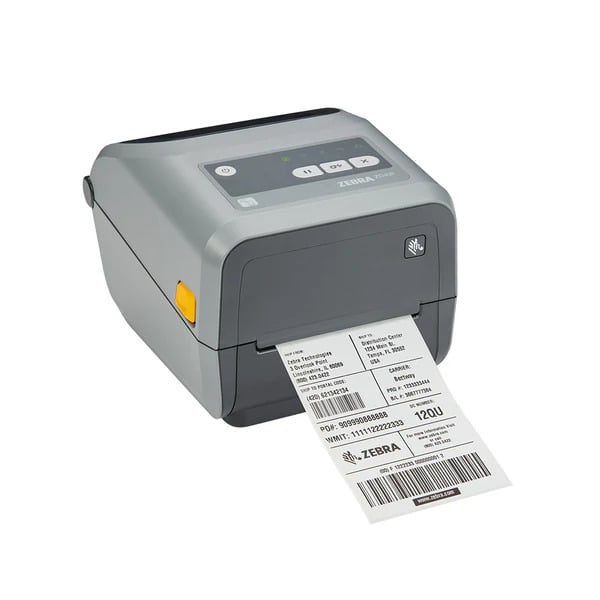
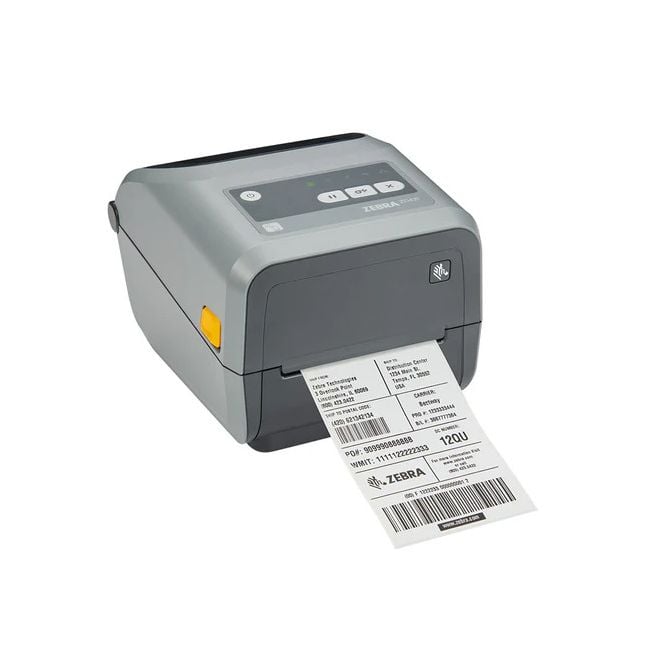
The Zebra ZD421t is a compact thermal transfer printer built for efficient, high-quality label printing. It fits into desktop spaces where users require reliable barcode and label production that’s straightforward and consistent. |
General Information |
|
|---|---|
| Brand | Zebra Technologies |
| Part Number | ZD4A043-301E00EZ |
Technical Information |
|
|---|---|
| Printer Technology | Dot Matrix |
| Functions | |
| Print Speed | 4 in/s (102 mm/s) |
| Print Resolution | 300 dpi (12 dots/mm) |
| Feature | Thermal Transfer,Direct Thermal,Label Printing,Compact Desktop Design,USB,Ethernet,Wi-Fi,Bluetooth,Peeler Option,Cutter Option,ZPL,EPL Compatible |
| Connectivity | USB,Serial,Ethernet (Wired),Wi‑Fi (802.11ac),Bluetooth,USB Host |
| Light Source | Thermal printhead (heating element) |
Paper & Media |
|
|---|---|
| Duplex Printing | No |
| Supported Paper Sizes | 4x6" |
Compatibility |
|
|---|---|
| OS Support | Windows,macOS,Linux |
Physical Characteristics |
|
|---|---|
| Dimensions | 7.6 x 5.9 x 8.1 in (193 x 150 x 206 mm) |
| Weight | 5.00 |
| Condition | Refurbished |
Product Description |
|---|
The Zebra ZD421t is a thermal transfer printer designed for reliable and precise label printing. It’s commonly found in retail, healthcare, manufacturing, and logistics environments where on-demand label creation is essential. Built for users who need consistent print quality and easy operation, this printer handles a variety of label materials with ease. Often deployed at workstations or counters, the ZD421t fits well where space is limited but quality can’t be compromised. It’s suitable for operators who print barcodes, shipping labels, compliance tags, or product identification labels. Key Features
This printer is typically seen in warehouses, retail back offices, and healthcare facilities where quick, accurate labeling is needed. It helps streamline operations by reducing print errors and downtime, ensuring smooth workflow in busy environments. |
Use Cases |
|---|
The Zebra ZD4A043-301E00EZ thermal transfer printer is commonly utilized in environments that demand precise and durable labeling solutions, such as manufacturing floors, logistics hubs, and healthcare facilities. Its compact form factor makes it suitable for desktop placement where space is constrained but consistent label output is critical for operational workflows. How It's Used:
By integrating reliably with existing desktop operations, this printer supports workflows that require high-resolution, durable labels without occupying excessive space. It facilitates consistent throughput in environments where label clarity and print speed directly impact efficiency and accuracy. |
 Shipping Options
 International Delivery
Requires a UPS, FedEx, or DHL account. Customers may arrange pickup from our US warehouse.
International Delivery
Requires a UPS, FedEx, or DHL account. Customers may arrange pickup from our US warehouse.
 Payment Methods
We accept Visa, Mastercard, AMEX, Discover, and Wire Transfer.
Payment Methods
We accept Visa, Mastercard, AMEX, Discover, and Wire Transfer.
 Purchase Orders
We process purchase orders for government agencies, enterprises, data centers, and SMBs.
Purchase Orders
We process purchase orders for government agencies, enterprises, data centers, and SMBs.