

Subscribe To Our Newsletter!
Subscribe to the newsletter to stay up to date with the latest news and most useful
Newsletter
↑
Back to Top



Product Overview |
|---|
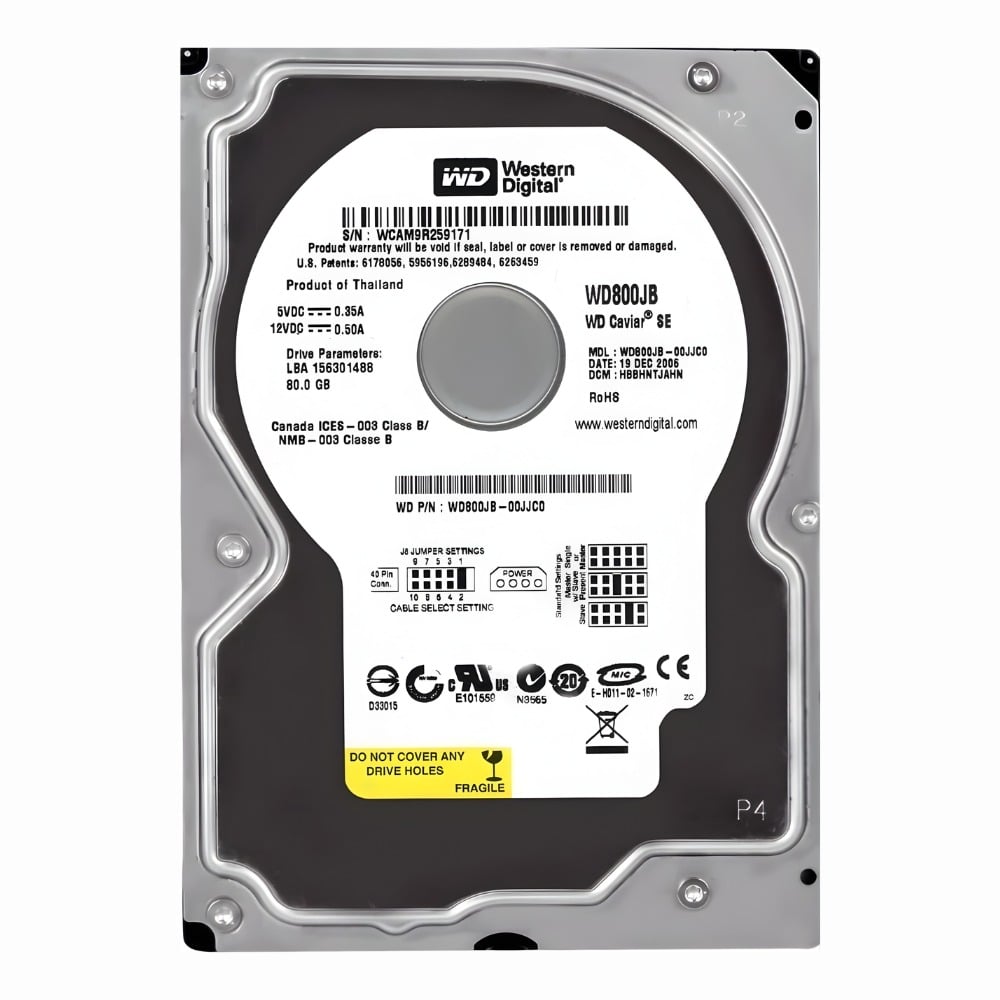
The WD800JB Western Digital Caviar is a traditional 80GB hard drive designed for desktop PCs that need reliable storage with decent speed. It fits into standard 3.5-inch bays and uses the EIDE interface, making it a practical choice for systems that don’t require the latest connection types but still want solid performance. Its 7200 RPM speed and 8MB cache help ensure data moves efficiently during daily use. |
General Information |
|
|---|---|
| Brand | Western Digital |
| Part Number | WD800JB |
Technical Information |
|
|---|---|
| Capacity | 80GB |
| Form Factor | 3.5-inch |
| Disk Format | 3.5-inch |
| Cache | 8MB |
| Spindle Speed | 7200 RPM |
| Hot Pluggable | No |
| Hot Swappable | No |
| Hybrid Drive | No |
| Compatible For | Desktop PC, Workstation |
Interfaces/Ports |
|
|---|---|
| Interface | EIDE |
Physical Characteristics |
|
|---|---|
| Condition | Refurbished |
| Weight | 1.76 |
Product Description |
|---|
The Western Digital Caviar WD800JB is a reliable internal hard drive designed to store and manage data efficiently. It is commonly used in desktop computers for everyday storage needs, including documents, media, and software applications. This drive suits users who want a balance of performance and capacity without the complexities of newer interfaces. Built for desktop environments, the WD800JB connects via the EIDE interface, making it compatible with a wide range of systems that support this standard. It's often found in business or home setups where dependable storage is a priority without the need for cutting-edge speed. Key Features
This hard drive typically finds its place inside desktop computers at offices, schools, or homes. It handles general computing tasks like file storage, application hosting, and multimedia playback. Users benefit from its straightforward setup and steady performance, especially when upgrading older systems or replacing failing drives. |
Use Cases |
|---|
The WD800JB Western Digital Caviar 80GB hard drive is suited for legacy desktop systems and environments where EIDE interface compatibility is essential. IT teams managing infrastructure with older hardware platforms benefit from integrating this drive to maintain operational continuity without requiring full system upgrades. How It's Used:
This hard drive provides consistent performance and compatibility for environments with established EIDE infrastructure, helping IT operations maintain efficiency without disrupting existing workflows. Its balance of speed and capacity ensures it can support a range of workloads without overhauling system configurations. |
 Shipping Options
 International Delivery
Requires a UPS, FedEx, or DHL account. Customers may arrange pickup from our US warehouse.
International Delivery
Requires a UPS, FedEx, or DHL account. Customers may arrange pickup from our US warehouse.
 Payment Methods
We accept Visa, Mastercard, AMEX, Discover, and Wire Transfer.
Payment Methods
We accept Visa, Mastercard, AMEX, Discover, and Wire Transfer.
 Purchase Orders
We process purchase orders for government agencies, enterprises, data centers, and SMBs.
Purchase Orders
We process purchase orders for government agencies, enterprises, data centers, and SMBs.