

Subscribe To Our Newsletter!
Subscribe to the newsletter to stay up to date with the latest news and most useful
Newsletter
↑
Back to Top



Product Overview |
|---|
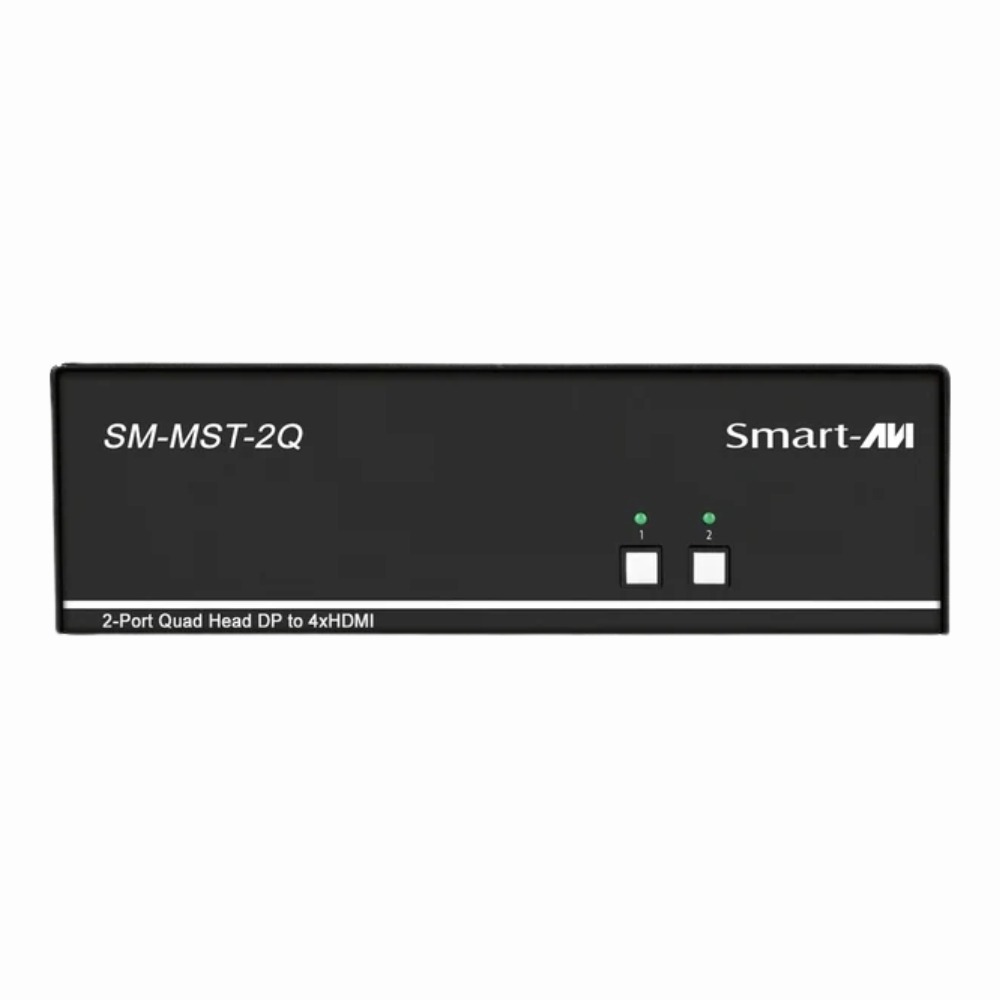
The SM-MST-2Q SmartAVI KVM switch provides a practical way to control four computers using one keyboard and mouse, converting DisplayPort inputs to HDMI outputs. It fits well in workplaces that require easy access to multiple systems while keeping equipment compact and manageable. |
General Information |
|
|---|---|
| Part Number | SM-MST-2Q |
| Condition | Refurbished |
Technical Information |
|
|---|---|
| Switch Ports | 4 DisplayPort inputs, 4 HDMI outputs |
| Number of Ports | 4-Ports |
| POE Support | No |
| VLAN Support | No |
| Stackable | No |
| Connector Type | DisplayPort, HDMI, USB |
Management and Configuration |
|
|---|---|
| Remote Protocols | No |
| Management Interfaces | USB |
| Management Type | Local (KVM) |
Power & Cooling |
|
|---|---|
| Fans | Fanless |
Physical Characteristics |
|
|---|---|
| Weight | 4.00 |
Miscellaneous |
|
|---|---|
| Eco Friendly | Yes |
| Assembly Required | Yes |
| Compliance Standards | WEEE, RoHS, cURus, CE, FCC, CCC, UL, TUV, cULus, CSA, cUL |
| Compliant Standards | DisplayPort, HDMI, USB, MST (Multi-Stream Transport) |
Product Description |
|---|
The SM-MST-2Q is designed to streamline your workspace by allowing you to control up to four computers via a single keyboard and mouse setup. It's commonly used in environments where multiple systems need to be accessed quickly, such as control rooms, offices, or multimedia stations. IT professionals and multimedia managers often find it helpful for managing several machines without clutter. Key Features
This KVM switch is typically found in scenarios where space and efficiency matter, like monitoring setups or multi-system testing stations. Its ability to manage several devices with minimal hardware helps keep workflows smooth and organized. |
Use Cases |
|---|
The SM-MST-2Q SmartAVI KVM Switch is designed for environments where users need to manage multiple computers with high-quality video output and minimal desk clutter. How It's Used:
This device simplifies complex setups by consolidating control and video management into a single, user-friendly unit. |
 Shipping Options
 International Delivery
Requires a UPS, FedEx, or DHL account. Customers may arrange pickup from our US warehouse.
International Delivery
Requires a UPS, FedEx, or DHL account. Customers may arrange pickup from our US warehouse.
 Payment Methods
We accept Visa, Mastercard, AMEX, Discover, and Wire Transfer.
Payment Methods
We accept Visa, Mastercard, AMEX, Discover, and Wire Transfer.
 Purchase Orders
We process purchase orders for government agencies, enterprises, data centers, and SMBs.
Purchase Orders
We process purchase orders for government agencies, enterprises, data centers, and SMBs.