

Subscribe To Our Newsletter!
Subscribe to the newsletter to stay up to date with the latest news and most useful
Newsletter
↑
Back to Top



Product Overview |
|---|
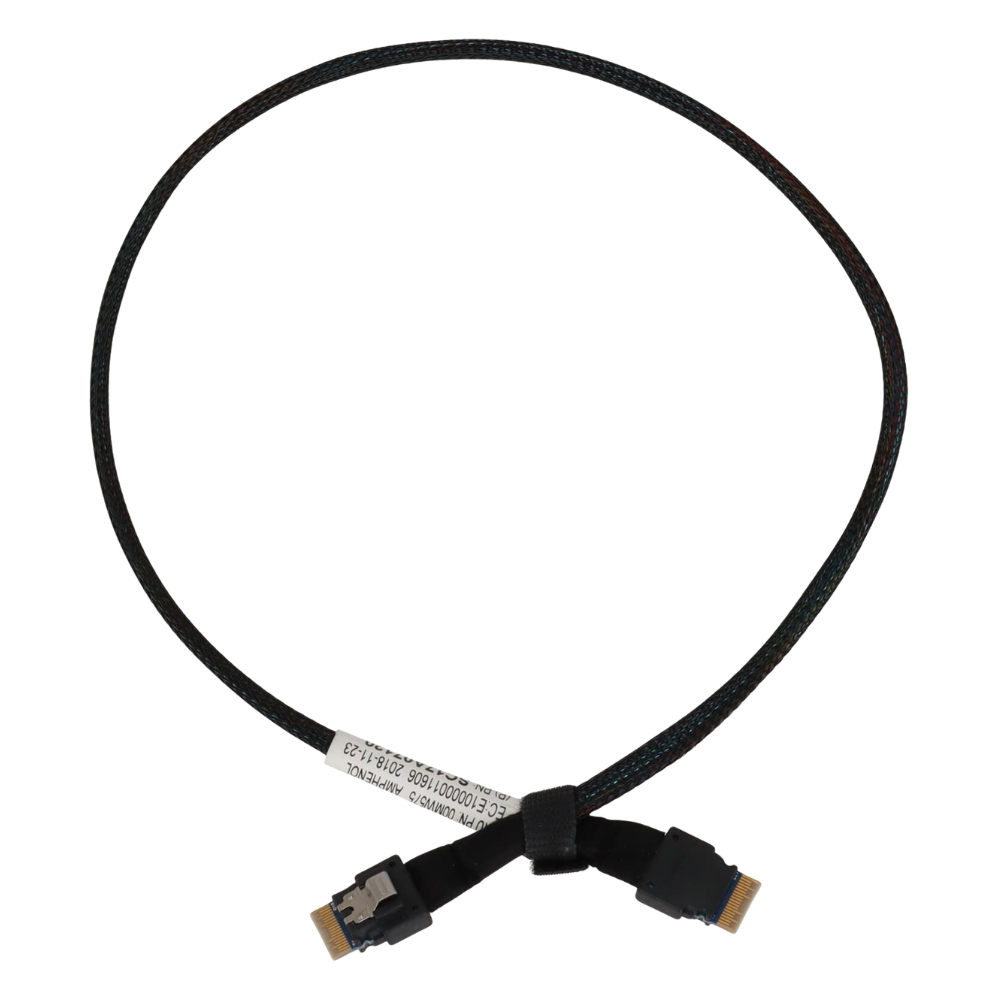
The Lenovo M.2 SATA cable connects M.2 SATA SSDs to the motherboard in Lenovo PCs and laptops. It fits neatly inside the system to provide a reliable pathway for data transfer, supporting storage upgrades and replacements without hassle. |
General Information |
|
|---|---|
| Brand | Lenovo |
| Part Number | SC17B29891 |
| Alternate Part Number | SC17B29891-12-LV |
Technical Information |
|
|---|---|
| Cable Family | Storage |
| Cable Type | Internal Storage Cable |
| Standard | SATA III 6Gb/s |
| Data Rate | 6 Gb/s |
| product type | M.2 SATA Cable |
| Product Category | Cables & Adapters |
Connectivity |
|
|---|---|
| Connector A | SATA 7-Pin |
| Connector B | SATA 7-Pin |
| Connector Type | M.2 to SATA |
Physical Characteristics |
|
|---|---|
| Form Factor | M.2 |
| Weight | 3.00 |
| Condition | Refurbished |
Product Description |
|---|
This Lenovo M.2 SATA cable is designed to connect M.2 SATA SSDs directly to the motherboard, enabling fast and reliable data communication. It's commonly used in Lenovo laptops and desktops to upgrade or replace internal storage drives. Built for users who want to enhance their system performance or expand storage capacity, the cable ensures a stable connection without adding bulk or complexity inside the device. IT professionals and system builders often find it useful during maintenance or custom builds. Key Features
This cable typically appears inside Lenovo machines when upgrading or replacing SSDs, making storage enhancements straightforward. It plays a crucial role in maintaining system reliability by providing a dependable connection for high-speed data devices. |
Use Cases |
|---|
The SC17B29891 Lenovo M.2 SATA Cable is typically utilized in scenarios requiring reliable connection of M.2 SATA SSDs within Lenovo computers. How It's Used:
This cable ensures consistent performance and easy integration during storage upgrades or repairs in Lenovo systems. |
 Shipping Options
 International Delivery
Requires a UPS, FedEx, or DHL account. Customers may arrange pickup from our US warehouse.
International Delivery
Requires a UPS, FedEx, or DHL account. Customers may arrange pickup from our US warehouse.
 Payment Methods
We accept Visa, Mastercard, AMEX, Discover, and Wire Transfer.
Payment Methods
We accept Visa, Mastercard, AMEX, Discover, and Wire Transfer.
 Purchase Orders
We process purchase orders for government agencies, enterprises, data centers, and SMBs.
Purchase Orders
We process purchase orders for government agencies, enterprises, data centers, and SMBs.