

Subscribe To Our Newsletter!
Subscribe to the newsletter to stay up to date with the latest news and most useful
Newsletter
↑
Back to Top



Product Overview |
|---|
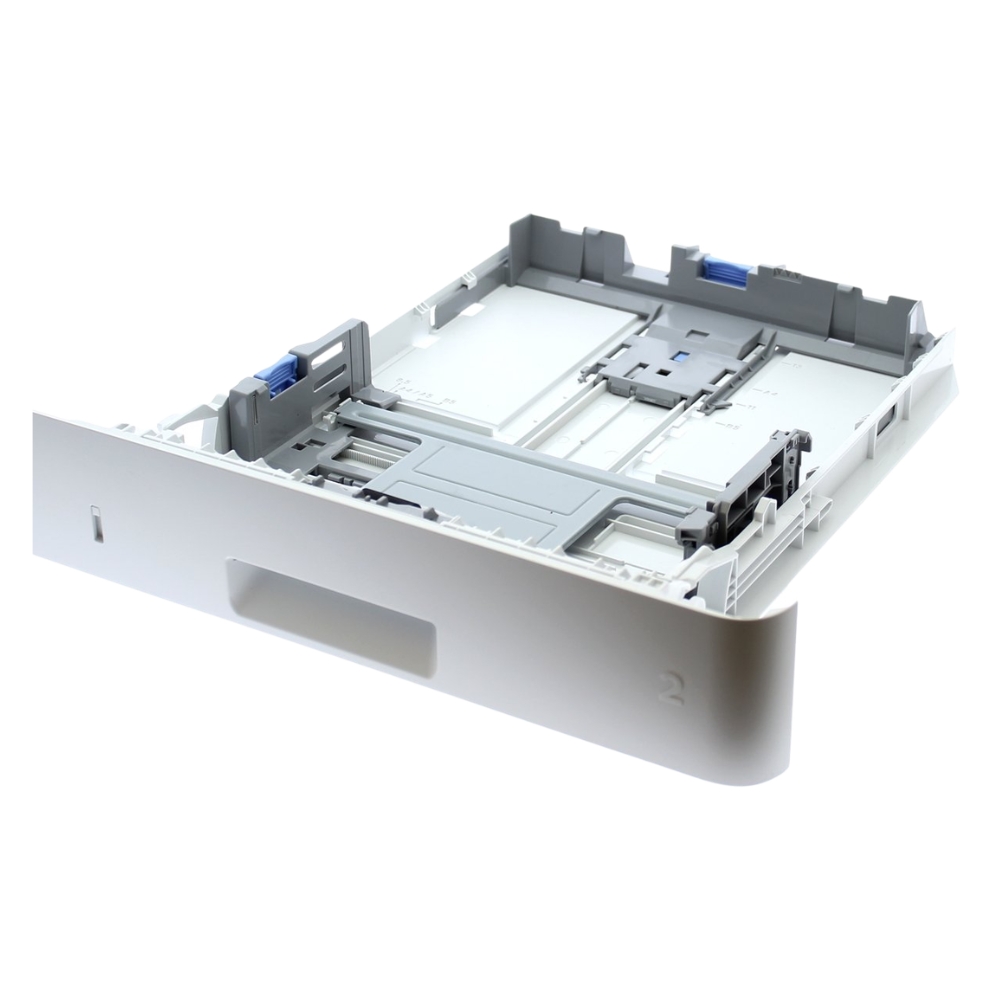
The HP RM2-5392-000 250-Sheet Paper Input Tray is a valuable upgrade for HP LaserJet Pro M402, M403, M426, and M427 series printers. It allows users to expand their printer’s paper capacity, reducing refill interruptions and improving overall productivity. Supporting multiple paper sizes, this durable and efficient input tray is ideal for offices and professional environments requiring high-volume printing. |
General Information |
|
|---|---|
| Brand | HP |
| Part Number | RM2-5392-000 |
| Product Type | Tray |
Technical Information |
|
|---|---|
| Tray Capacity | 250 sheets |
Physical Characteristics |
|
|---|---|
| Weight | 5.00 |
| Condition | Refurbished |
Product Description |
|---|
The HP RM2-5392-000 250-Sheet Paper Input Tray, also known as Cassette Tray 2, is designed to enhance the paper-handling capacity of compatible HP LaserJet Pro printers. This tray allows users to load up to 250 sheets, reducing the need for frequent paper refills and increasing overall printing efficiency. Supporting a variety of media sizes, including A4, Legal, and Letter, this input tray ensures flexibility for different printing needs. It is an ideal solution for businesses and home offices looking to improve workflow by extending the paper capacity of their HP LaserJet Pro M402, M403, M426, and M427 series printers. Key Features
The HP RM2-5392-000 Paper Input Tray is an essential addition for users looking to boost their printer's efficiency, providing a reliable and high-capacity paper-loading solution. |
Use Cases |
|---|
The RM2-5392-000 250-Sheet Paper Input Tray is designed for environments where minimizing printer downtime and maximizing print throughput are critical. It is particularly beneficial in medium to large office settings where HP LaserJet Pro M402, M403, M426, and M427 series printers are deployed to handle continuous, high-volume document printing requirements. How It's Used:
By expanding paper capacity, this input tray supports operational continuity and scalability in environments with varying print demands. It allows IT managers to optimize resource allocation and maintain consistent productivity across print fleets. |
 Shipping Options
 International Delivery
Requires a UPS, FedEx, or DHL account. Customers may arrange pickup from our US warehouse.
International Delivery
Requires a UPS, FedEx, or DHL account. Customers may arrange pickup from our US warehouse.
 Payment Methods
We accept Visa, Mastercard, AMEX, Discover, and Wire Transfer.
Payment Methods
We accept Visa, Mastercard, AMEX, Discover, and Wire Transfer.
 Purchase Orders
We process purchase orders for government agencies, enterprises, data centers, and SMBs.
Purchase Orders
We process purchase orders for government agencies, enterprises, data centers, and SMBs.