

Subscribe To Our Newsletter!
Subscribe to the newsletter to stay up to date with the latest news and most useful
Newsletter
↑
Back to Top



| Product Overview |
|---|
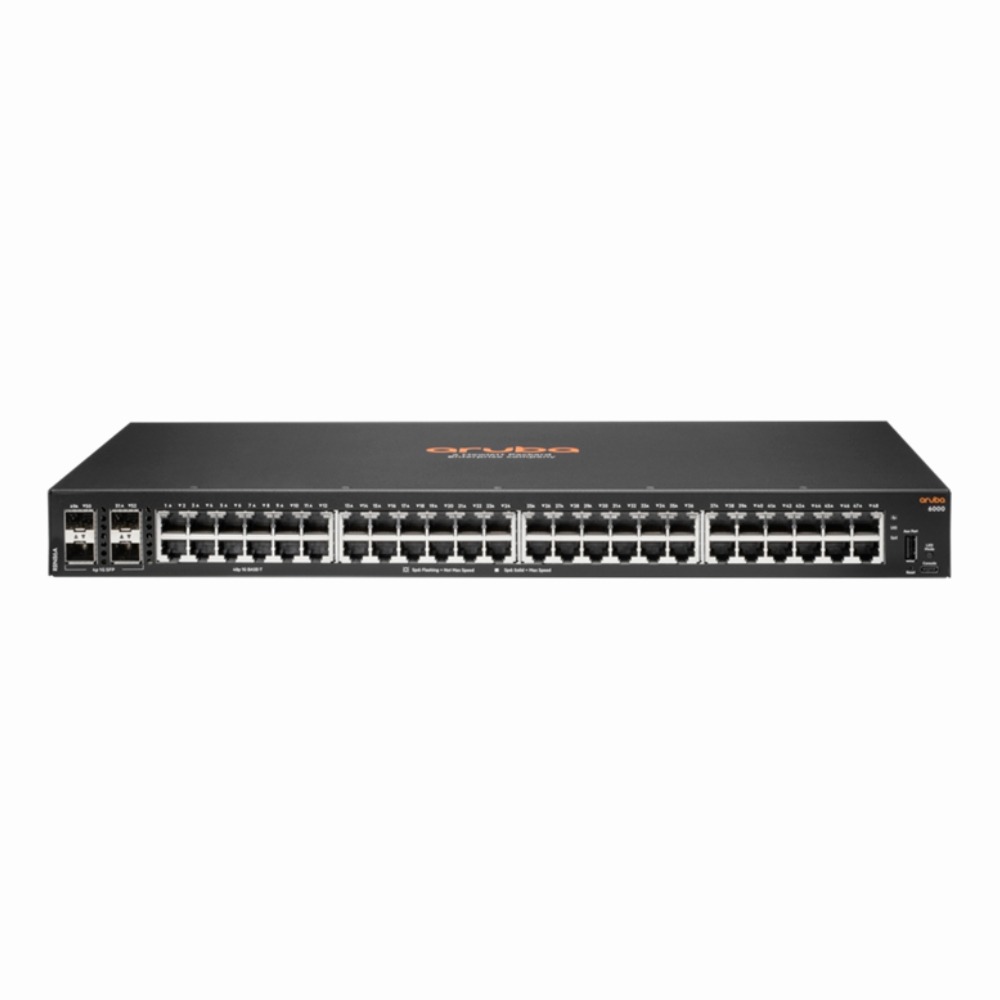
The HP Aruba CX 6000 Series 48-port switch combines essential Layer 2 network management with versatile port options and a compact form factor. It fits well into business networks needing straightforward gigabit connectivity with room to grow. Its stacking ability and fiber uplink options make it a practical choice for scaling access layers without frequent hardware upgrades. |
| General Information | |
|---|---|
| Brand | HPE |
| Part Number | R8N86A#ABA |
| Condition | Refurbished |
| Technical Information | |
|---|---|
| Switch Ports | 48 |
| Number of Ports | 48-Ports |
| Port Type | 1000Base-T, SFP |
| Port Speed | 1 Gbps |
| UpLink Ports | 4 |
| POE Support | No |
| Switching Capacity | 104 Gbps |
| Switch Forwarding Rate | 203.125 Mpps |
| VLAN Support | Yes |
| Max VLANs Supported | 1-4094 |
| Stackable | Yes |
| Layer Support | Layer 2 |
| Connector Type | RJ-45,SFP |
| Performance | |
|---|---|
| Jumbo Frame Support | Up To 9216 Bytes |
| Management and Configuration | |
|---|---|
| Remote Protocols | Yes |
| Management Interfaces | Web GUI,Command Line (CLI),SSH,Console (RJ-45),SNMP,Aruba Central (cloud) |
| Security Features | Access Control Lists (ACLs),802.1X,MAC Authentication,DHCP Snooping,RADIUS Authentication,Storm Control,Port Security |
| Management Type | Local (Web/CLI),Cloud (Aruba Central) |
| Remote Management Protocol | HTTP,HTTPS,SSH,Telnet,SNMPv2c,SNMPv3 |
| Physical Characteristics | |
|---|---|
| Weight | 5.00 |
| Miscellaneous | |
|---|---|
| Compliance Standards | RoHS, CE, FCC |
| Product Description |
|---|
The HP Aruba CX 6000 Series switch delivers reliable, high-speed network connectivity designed for modern small to medium business environments. It is often found in office wiring closets or data rooms where stable and efficient Ethernet connections are critical. Built for network administrators who need fine-grained control over their Layer 2 traffic, this switch supports management that helps optimize performance and troubleshoot issues with ease. Its stackable design allows network growth without replacing existing hardware. Key Features
This switch typically appears in enterprise branch offices or campus edge deployments where dependable gigabit access and easy management are priorities. It helps ensure smooth data flow between users and the broader network infrastructure without overwhelming complexity. |
 Shipping Options
 International Delivery
Requires a UPS, FedEx, or DHL account. Customers may arrange pickup from our US warehouse.
International Delivery
Requires a UPS, FedEx, or DHL account. Customers may arrange pickup from our US warehouse.
 Payment Methods
We accept Visa, Mastercard, AMEX, Discover, and Wire Transfer.
Payment Methods
We accept Visa, Mastercard, AMEX, Discover, and Wire Transfer.
 Purchase Orders
We process purchase orders for government agencies, enterprises, data centers, and SMBs.
Purchase Orders
We process purchase orders for government agencies, enterprises, data centers, and SMBs.