

Subscribe To Our Newsletter!
Subscribe to the newsletter to stay up to date with the latest news and most useful
Newsletter
↑
Back to Top



Product Overview |
|---|
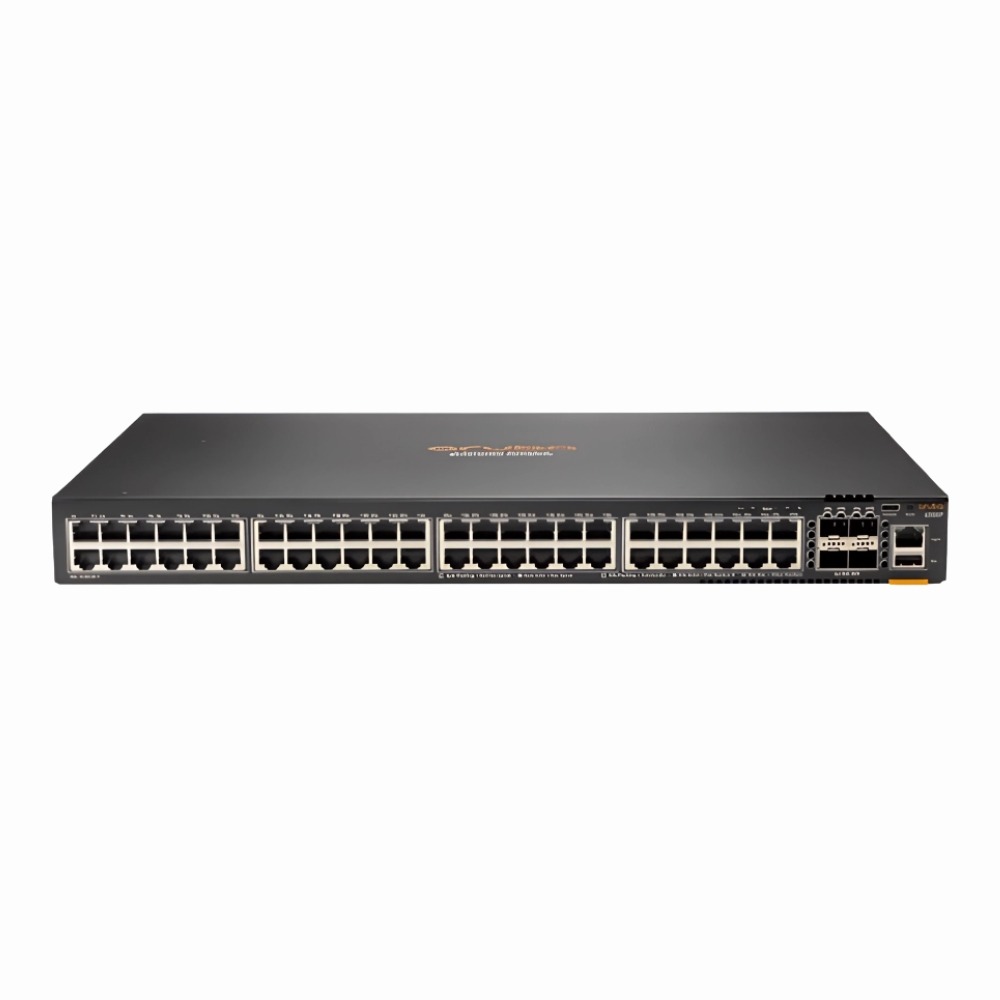
The HP Aruba CX 6000 Series switch provides 48 PoE+ ports with gigabit speed and 4 SFP uplink ports, fitting well into environments that demand both power and data connectivity over Ethernet. Its layer 2 management features and stackable rack-mount design make it a practical choice for growing enterprise or campus networks that want straightforward, reliable switching without unnecessary complexity. |
General Information |
|
|---|---|
| Brand | HPE |
| Part Number | R8N85A#ABA |
| Condition | Refurbished |
Technical Information |
|
|---|---|
| Switch Ports | 48 |
| Number of Ports | 48-Ports |
| Port Type | 10/100/1000Base-T, SFP |
| Port Speed | 1 Gbps |
| UpLink Ports | 4 SFP |
| POE Support | PoE+ |
| Switching Capacity | 104 Gbps |
| Switch Forwarding Rate | 203.125 Mpps |
| VLAN Support | Yes |
| Max VLANs Supported | 1-4094 |
| Stackable | Yes |
| Layer Support | Layer 2 |
| Connector Type | RJ-45,SFP |
Performance |
|
|---|---|
| Jumbo Frame Support | Up To 9216 Bytes |
Management and Configuration |
|
|---|---|
| Remote Protocols | Yes |
| Management Interfaces | CLI,Web GUI,SNMP,REST API,SSH,Aruba Central |
| Remote Management Protocol | SNMP,SSH,REST,HTTP/HTTPS |
Physical Characteristics |
|
|---|---|
| Weight | 5.00 |
Miscellaneous |
|
|---|---|
| Compliance Standards | WEEE, RoHS, CE, FCC, UL, TUV, cULus |
| Compliant Standards | IEEE 802.3,IEEE 802.3u,IEEE 802.3ab,IEEE 802.3af,IEEE 802.3at,IEEE 802.1Q,IEEE 802.1p,IEEE 802.1X,IEEE 802.3x,IEEE 802.1D,IEEE 802.1w |
Product Description |
|---|
The HP Aruba CX 6000 Series switch is built for network environments that require reliable gigabit connectivity combined with power over Ethernet. It is commonly used in office networks, branch locations, and campus setups where multiple devices such as IP phones, wireless access points, and security cameras need both data and power through a single cable. IT teams often find this switch useful due to its straightforward management and stacking features, which make expanding network capacity easier without complex reconfiguration. It supports essential Layer 2 functions which help segment and prioritize traffic efficiently. Key Features
This switch is typically deployed in mid-sized networks where a mix of data and power is needed to connect a variety of devices. It plays a key role in keeping network infrastructure organized and efficient, reducing the need for separate power adapters and easing network expansion. |
Use Cases |
|---|
The HP Aruba CX 6000 Series 48-port PoE+ switch is ideal for enterprise edge networks and campus environments that require reliable power delivery alongside high-speed data connectivity. It suits IT teams managing moderate to large scale deployments needing efficient rack-mounted switches to support IP phones, wireless access points, and other PoE-enabled devices. How It's Used:
This switch enhances operational efficiency by consolidating power and data delivery in a single device while its stackability and manageable layer 2 features support scalable network growth. Its rack-mount design optimizes space usage, making it suitable for structured enterprise network deployments. |
 Shipping Options
 International Delivery
Requires a UPS, FedEx, or DHL account. Customers may arrange pickup from our US warehouse.
International Delivery
Requires a UPS, FedEx, or DHL account. Customers may arrange pickup from our US warehouse.
 Payment Methods
We accept Visa, Mastercard, AMEX, Discover, and Wire Transfer.
Payment Methods
We accept Visa, Mastercard, AMEX, Discover, and Wire Transfer.
 Purchase Orders
We process purchase orders for government agencies, enterprises, data centers, and SMBs.
Purchase Orders
We process purchase orders for government agencies, enterprises, data centers, and SMBs.