

Subscribe To Our Newsletter!
Subscribe to the newsletter to stay up to date with the latest news and most useful
Newsletter
↑
Back to Top



Product Overview |
|---|
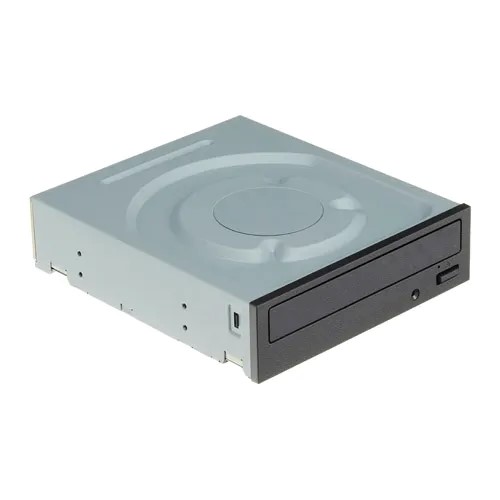
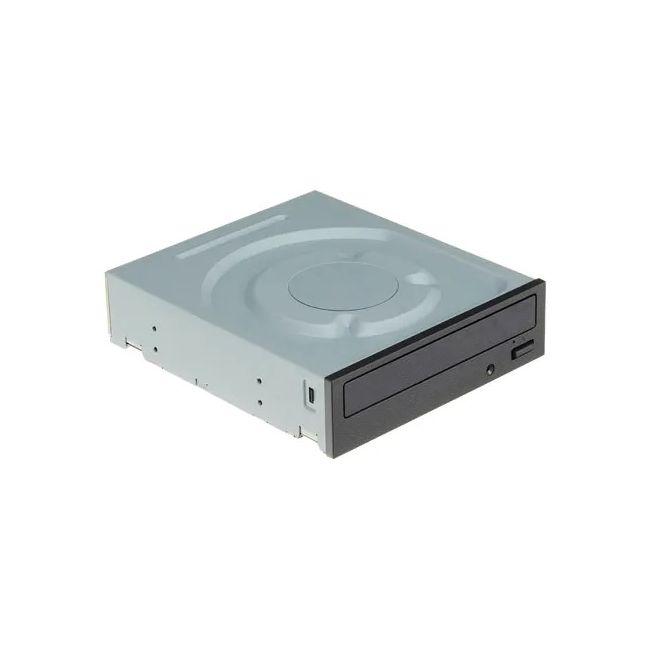
The JP250 Dell 48x SATA CD/DVD Rewritable Combo Optical Drive provides a straightforward solution for reading and writing both CDs and DVDs. It slots into desktop PCs via a SATA interface and handles common disc formats, making it useful for users who need reliable access to optical media without extra features. |
General Information |
|
|---|---|
| Brand | Dell |
| Part Number | JP250 |
Technical Information |
|
|---|---|
| Disc Diameter | 120 mm (standard), 80 mm (mini) |
| Interface | SATA (Serial ATA) |
| Data Transfer Rate | CD-ROM 48x, CD-R 48x, CD-RW 32x, DVD-ROM 16x (maximum) |
Physical Characteristics |
|
|---|---|
| Dimensions | 41.3 mm x 146 mm x 170 mm |
| Weight | 5.00 |
| Condition | Refurbished |
Miscellaneous |
|
|---|---|
| Eco Friendly | Yes |
| Assembly Required | Yes |
| Compliance Standards | WEEE, RoHS, cURus, CE, FCC, CCC, UL, TUV, cULus, CSA, cUL |
Product Description |
|---|
This Dell 48x SATA CD/DVD Rewritable Combo Optical Drive offers reliable reading and writing of CD and DVD media. It’s commonly found in desktop computers that require versatile disc handling, from media playback to data backup. Many users who need a cost-effective way to read and write discs find this drive suitable for everyday tasks. Key Features
This optical drive is typically deployed in office and home desktop setups where physical media is still used for data transfer, software installations, or media playback. It fits well in environments that don’t require advanced Blu-ray capabilities but do need dependable CD/DVD read/write functions. |
Use Cases |
|---|
The JP250 Dell 48x SATA CD/DVD Rewritable Combo Optical Drive is primarily utilized in desktop workstation environments where legacy media access or physical data transfer remains necessary. IT teams and technical professionals in small to medium-sized businesses often rely on this drive to maintain compatibility with existing optical media archives and facilitate occasional burning tasks. How It's Used:
This optical drive supports operational efficiency by providing a reliable and straightforward interface for optical media handling, reducing the need for external adapters. Its integration into standard desktop setups enables scalable media management without impacting core system performance. |
 Shipping Options
 International Delivery
Requires a UPS, FedEx, or DHL account. Customers may arrange pickup from our US warehouse.
International Delivery
Requires a UPS, FedEx, or DHL account. Customers may arrange pickup from our US warehouse.
 Payment Methods
We accept Visa, Mastercard, AMEX, Discover, and Wire Transfer.
Payment Methods
We accept Visa, Mastercard, AMEX, Discover, and Wire Transfer.
 Purchase Orders
We process purchase orders for government agencies, enterprises, data centers, and SMBs.
Purchase Orders
We process purchase orders for government agencies, enterprises, data centers, and SMBs.