

Subscribe To Our Newsletter!
Subscribe to the newsletter to stay up to date with the latest news and most useful
Newsletter
↑
Back to Top



Product Overview |
|---|
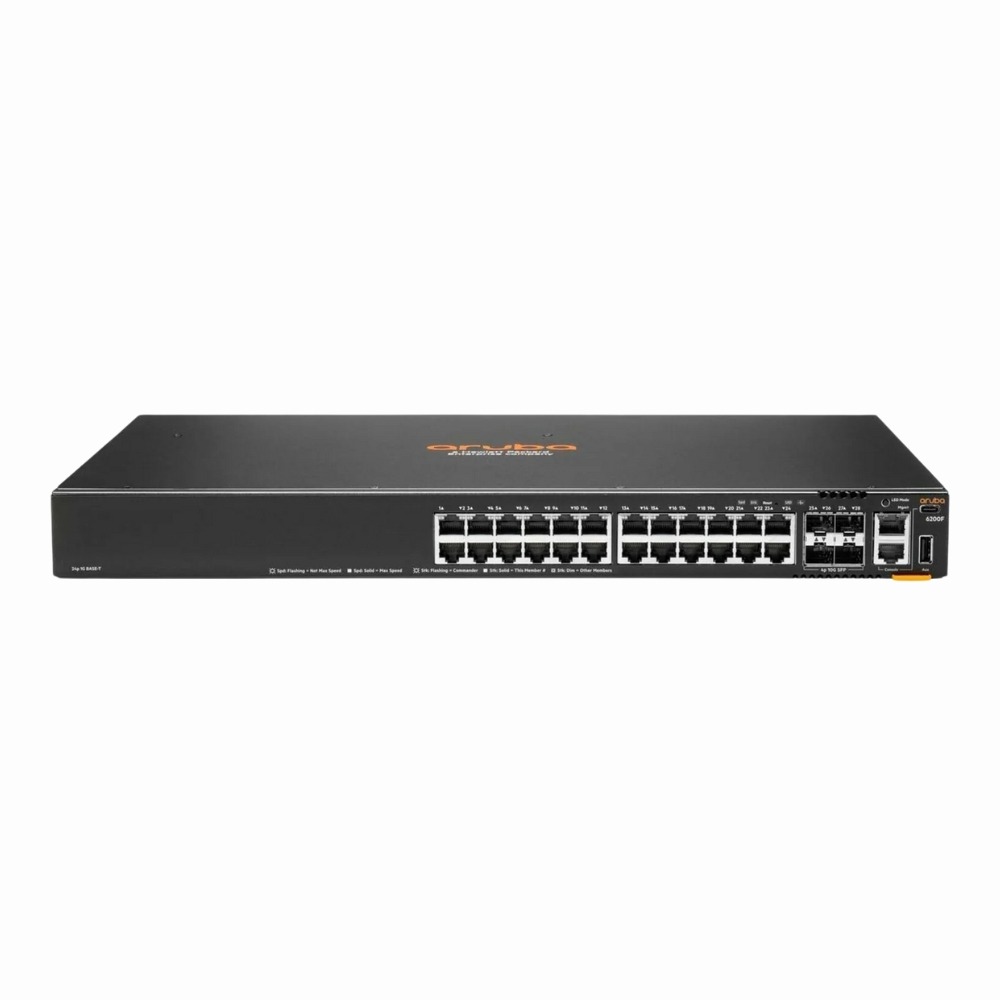
The HP Aruba CX 6200F provides reliable, flexible connectivity primarily for enterprise and campus networks. It balances copper and fiber interfaces while offering multiple console options and management ports to fit smoothly into various IT environments. |
General Information |
|
|---|---|
| Brand | Aruba |
| Part Number | JL724B#ABA |
| Condition | Refurbished |
Technical Information |
|
|---|---|
| Switch Ports | 24 |
| Number of Ports | 24-Ports |
| Port Type | 10/100/1000Base-T, 10G SFP+, SFP+, USB Console, Serial Console (RJ-45) |
| Port Speed | 10/100/1000Base-T,1/10G SFP+ |
| UpLink Ports | 4 |
| POE Support | No |
| Switching Capacity | 128 Gbps |
| Switch Forwarding Rate | 250 Mpps |
| VLAN Support | Yes |
| Max VLANs Supported | 1-4094 |
| Layer Support | Layer 3 |
| Connector Type | RJ-45,SFP+,USB Type-C,USB Type-A,RJ-45 Console |
Performance |
|
|---|---|
| Jumbo Frame Support | Up To 9216 Bytes |
Management and Configuration |
|
|---|---|
| Routing Protocols | Static, RIP, OSPF, BGP, VRRP, PIM-SM, IGMP |
| Remote Protocols | Yes |
| Remote Management Protocol | SSH,Telnet,HTTP/HTTPS,SNMP |
Physical Characteristics |
|
|---|---|
| Weight | 5.00 |
Miscellaneous |
|
|---|---|
| Compliance Standards | WEEE, RoHS, CE, FCC, UL, TUV, cULus |
Product Description |
|---|
The HP Aruba CX 6200F switch is built for modern network environments demanding a balance of speed and flexibility. It is commonly used in enterprise access layers and campus networks where both copper and fiber connections are needed. Network administrators, IT teams, and organizations looking for efficient, manageable switching often rely on this model. Key Features
This switch typically appears in enterprise wiring closets or data center access layers, providing dependable connectivity for a range of devices and users. Its combination of port types and management options helps streamline network operations without complicating the setup. |
Use Cases |
|---|
The HP Aruba CX 6200F switch is tailored for enterprise campus and branch networks requiring a balance of copper and fiber connectivity. IT teams managing mid-sized networks with diverse device types benefit from its flexible interface options and robust management capabilities. How It's Used:
This switch supports operational efficiency by combining versatile port configurations and management options, allowing scalable network expansions while maintaining consistent performance in mixed-media enterprise environments. |
 Shipping Options
 International Delivery
Requires a UPS, FedEx, or DHL account. Customers may arrange pickup from our US warehouse.
International Delivery
Requires a UPS, FedEx, or DHL account. Customers may arrange pickup from our US warehouse.
 Payment Methods
We accept Visa, Mastercard, AMEX, Discover, and Wire Transfer.
Payment Methods
We accept Visa, Mastercard, AMEX, Discover, and Wire Transfer.
 Purchase Orders
We process purchase orders for government agencies, enterprises, data centers, and SMBs.
Purchase Orders
We process purchase orders for government agencies, enterprises, data centers, and SMBs.