

Subscribe To Our Newsletter!
Subscribe to the newsletter to stay up to date with the latest news and most useful
Newsletter
↑
Back to Top



Product Overview |
|---|
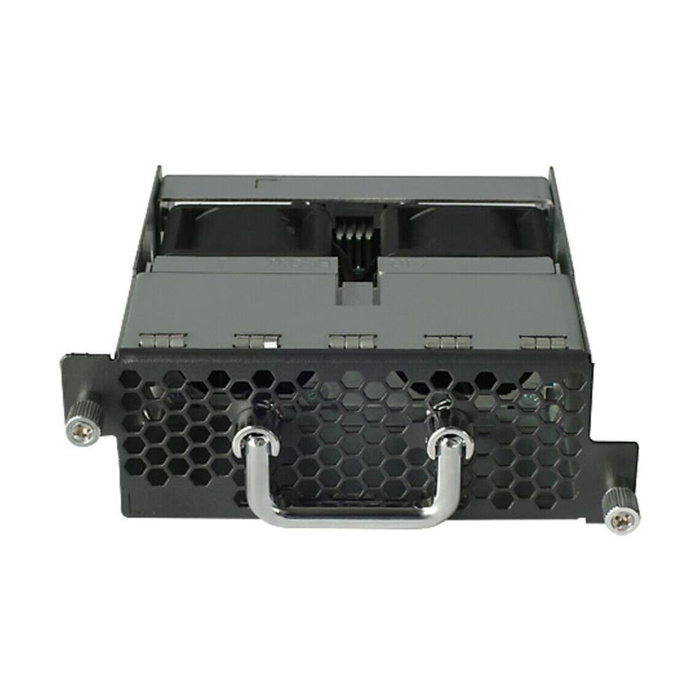
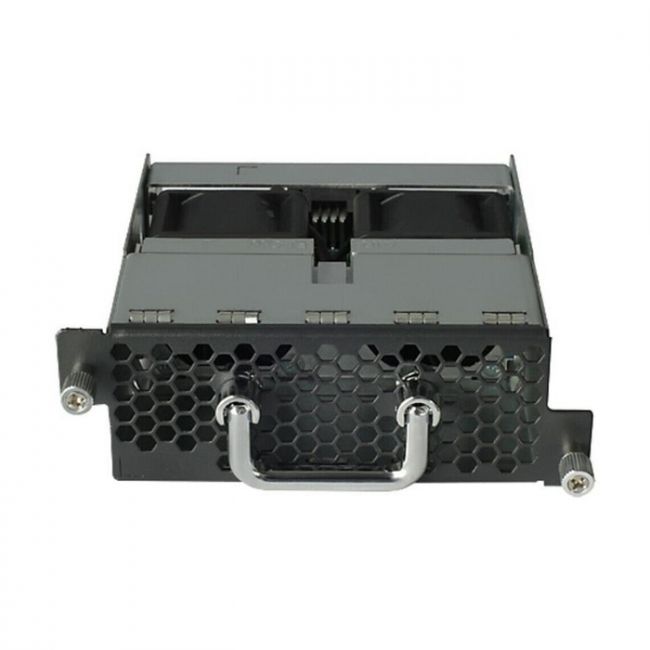
The HP JC683A Front-to-Back Fan Tray is a specialized cooling component designed for HP A58x0AF networking devices. It supports front-to-back airflow to align with the device’s thermal management design, ensuring efficient heat removal and aiding in maintaining optimal device operation. |
General Information |
|
|---|---|
| Brand | HP |
| Part Number | JC683A |
Technical Specification |
|
|---|---|
| Component Type | Fan Tray |
| Cooling Method | Active |
| Compatibility | HP A58x0AF series networking devices |
| Airflow Direction | Front-to-Back (Port-to-Power) |
Physical Characteristics |
|
|---|---|
| Form Factor | Fan Tray |
| Weight | 3.00 |
| Condition | Refurbished |
Miscellaneous |
|
|---|---|
| Assembly Required | No |
Product Description |
|---|
The HP JC683A Front-to-Back Fan Tray is engineered to provide effective cooling for compatible HP networking devices, specifically the A58x0AF series. It facilitates front-to-back airflow, which is critical for maintaining optimal operating temperatures in networking environments. This fan tray is typically used in enterprise network setups where maintaining device reliability and performance depends on consistent cooling. IT professionals and network administrators often install and replace this component during maintenance or upgrades. Key Features
This fan tray plays a vital role in the overall cooling architecture of HP networking devices, helping to prevent overheating and ensuring consistent network performance. Proper installation and maintenance are important to maintain device integrity and longevity. |
Use Cases |
|---|
The HP JC683A fan tray is typically utilized in enterprise network environments where the A58x0AF series switches or routers are deployed. It serves to maintain thermal stability in data centers or network closets where controlled airflow is critical. How It's Used:
By ensuring proper airflow and cooling, this fan tray supports the continuous operation of HP networking equipment. It helps prevent thermal-related failures and contributes to the stable running of network infrastructure. |
FAQ's |
|---|
|
 Shipping Options
 International Delivery
Requires a UPS, FedEx, or DHL account. Customers may arrange pickup from our US warehouse.
 Payment Methods
We accept Visa, Mastercard, AMEX, Discover, and Wire Transfer.
 Purchase Orders
We process purchase orders for government agencies, enterprises, data centers, and SMBs.