

Subscribe To Our Newsletter!
Subscribe to the newsletter to stay up to date with the latest news and most useful
Newsletter
↑
Back to Top



Product Overview |
|---|
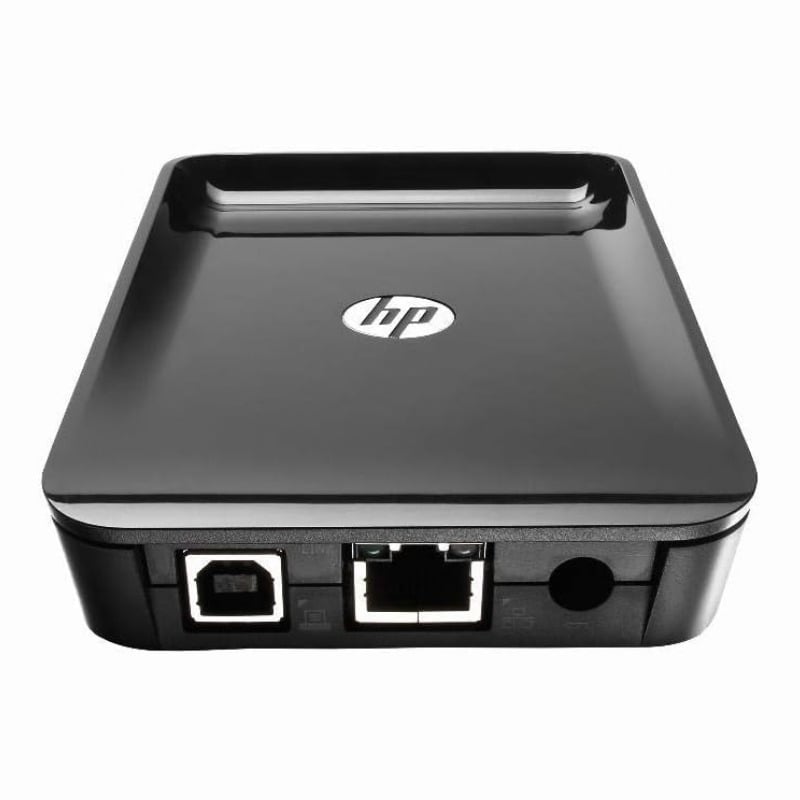
The HP JetDirect 2900nw print server offers a straightforward way to connect printers to wired or wireless networks. It fits naturally in office settings where flexibility and reliable network printing access are important, supporting both high-speed Ethernet and wireless communication standards without unnecessary complexity. |
General Information |
|
|---|---|
| Brand | HP |
| Part Number | J8031A |
Technical Specification |
|
|---|---|
| Product Type | simple |
| Product Category | Wireless Print Server |
| Host Interface | USB 2.0 (printer) |
| Data Rate | 10/100/1000 Mbps (Ethernet), up to 150 Mbps (802.11n) |
| Ports | 1 |
| Connectivity | Ethernet, Wireless (802.11b/g/n), USB |
| External Interface | RJ-45 (10/100/1000Base-T), USB |
| Cable Type | Ethernet (Cat5e/Cat6), USB 2.0 |
| Compatibility | HP printers with USB port, network printers; Windows, macOS, Linux (network printing compatible) |
Physical Characteristics |
|
|---|---|
| Weight | 5.00 |
| Condition | Refurbished |
Miscellaneous |
|
|---|---|
| Assembly Required | Yes |
| Eco Friendly | Yes |
| Compliance Standards | WEEE, RoHS, CE, FCC, UL, TUV, cULus, CSA |
Product Description |
|---|
The HP JetDirect 2900nw print server enables wireless and wired network printing, allowing printers to be accessed over both Ethernet and Wi-Fi connections. It is commonly found in office environments where multiple users need reliable, shared printer access without cumbersome cables. Built for businesses seeking to integrate printers into existing networks effortlessly, this device benefits IT administrators looking to streamline print management. Users who value flexible placement of printers away from direct workstation connections will find this especially useful. Key Features
These print servers are typically deployed in office workspaces, reception areas, and shared work environments where network access is essential. They help reduce cable clutter and allow printers to be placed in optimal locations without compromising connectivity. By enabling both wired and wireless printing options, the device supports varied office layouts and user preferences, leading to improved workflow efficiency and easier print resource management. |
 Shipping Options
 International Delivery
Requires a UPS, FedEx, or DHL account. Customers may arrange pickup from our US warehouse.
International Delivery
Requires a UPS, FedEx, or DHL account. Customers may arrange pickup from our US warehouse.
 Payment Methods
We accept Visa, Mastercard, AMEX, Discover, and Wire Transfer.
Payment Methods
We accept Visa, Mastercard, AMEX, Discover, and Wire Transfer.
 Purchase Orders
We process purchase orders for government agencies, enterprises, data centers, and SMBs.
Purchase Orders
We process purchase orders for government agencies, enterprises, data centers, and SMBs.