

Subscribe To Our Newsletter!
Subscribe to the newsletter to stay up to date with the latest news and most useful
Newsletter
↑
Back to Top



Product Overview |
|---|
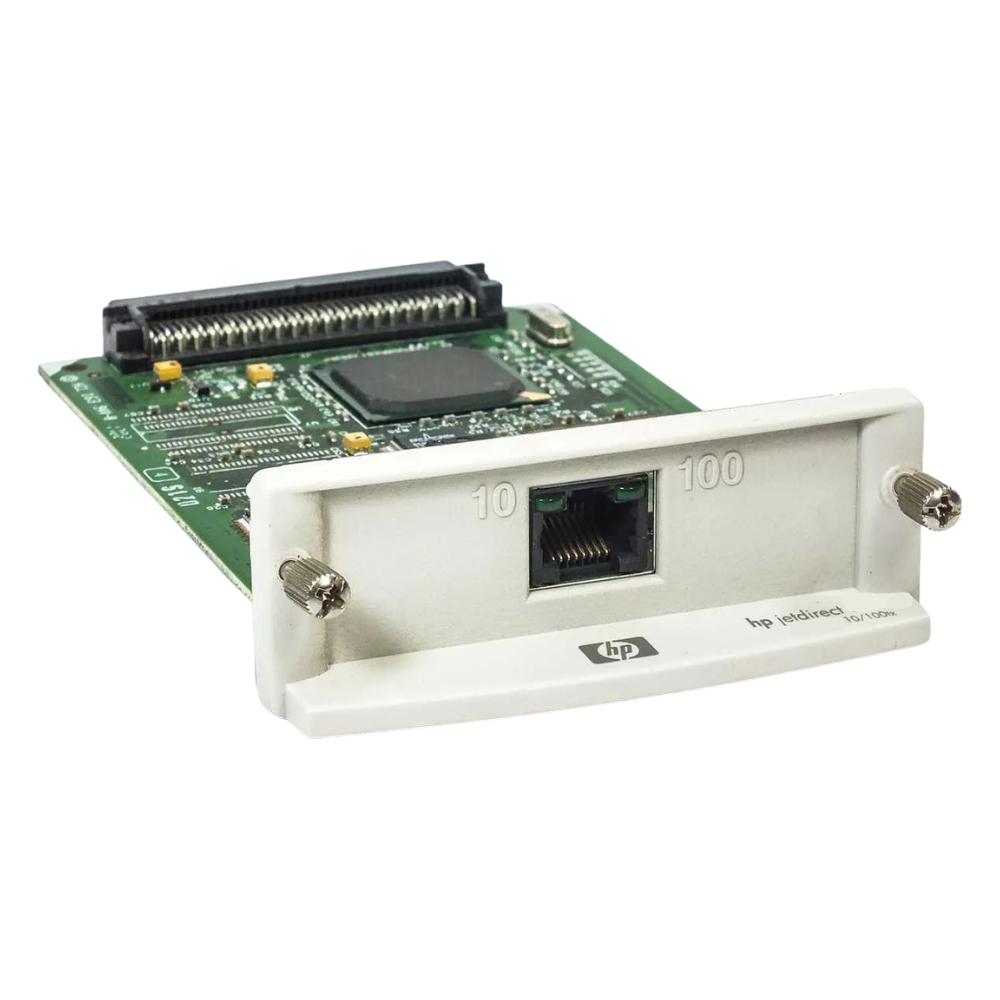
The J4169-61001 HP Jetdirect 10/100 Print Server Network Card provides Ethernet network connectivity for HP LaserJet printers, supporting standard network protocols and delivering reliable print job management within enterprise environments. |
General Information |
|
|---|---|
| Part Number | J4169-61001 |
Technical Specification |
|
|---|---|
| Product Type | simple |
| Product Category | Print Server Network Card |
| Data Rate | 10/100 Mbps |
| Ports | 1 |
| Connectivity | Ethernet |
| External Interface | RJ-45 (10/100Base-TX) |
Physical Characteristics |
|
|---|---|
| Form Factor | Internal network card |
| Weight | 3.00 |
| Condition | Refurbished |
Product Description |
|---|
The J4169-61001 HP Jetdirect 10/100 Print Server Network Card allows HP LaserJet printers to connect directly to Ethernet networks, enabling efficient network printing across multiple users and devices. It is typically installed in office environments where shared printing resources are essential for productivity. This network card is designed for seamless integration with compatible HP printers, offering reliable and fast print job delivery over standard 10/100 Mbps Ethernet connections. IT administrators and office managers benefit from simplified printer management and reduced downtime. Key Features
By incorporating the J4169-61001 HP Jetdirect print server network card, organizations can improve printing workflow efficiency and provide users with reliable access to shared printing resources. Its compatibility and performance make it a practical choice in networking and printing infrastructure. |
Use Cases |
|---|
This network card is utilized to integrate HP printers into Ethernet-based office networks, enabling shared printing capabilities and streamlined print management. How It's Used:
Implementing this network card helps organizations enhance printing efficiency and maintain consistent network connectivity for their HP printers. |
 Shipping Options
 International Delivery
Requires a UPS, FedEx, or DHL account. Customers may arrange pickup from our US warehouse.
International Delivery
Requires a UPS, FedEx, or DHL account. Customers may arrange pickup from our US warehouse.
 Payment Methods
We accept Visa, Mastercard, AMEX, Discover, and Wire Transfer.
Payment Methods
We accept Visa, Mastercard, AMEX, Discover, and Wire Transfer.
 Purchase Orders
We process purchase orders for government agencies, enterprises, data centers, and SMBs.
Purchase Orders
We process purchase orders for government agencies, enterprises, data centers, and SMBs.