

Subscribe To Our Newsletter!
Subscribe to the newsletter to stay up to date with the latest news and most useful
Newsletter
↑
Back to Top



Product Overview |
|---|
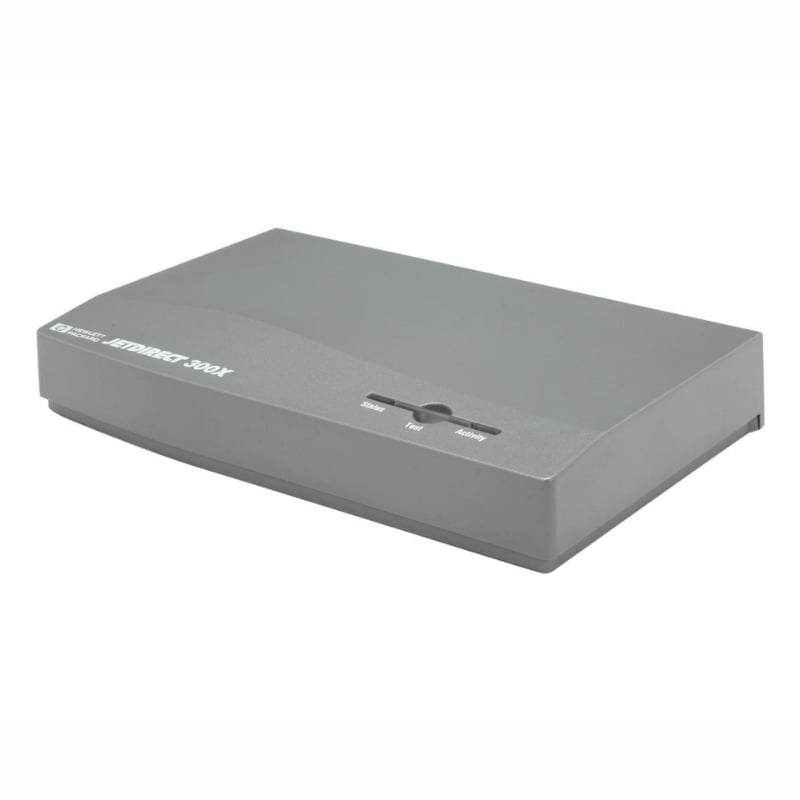
The HP JetDirect 300X print server connects parallel printers to Ethernet networks, making it easier for multiple users to share devices without upgrading printers. It fits well in office settings needing to bridge older print hardware and modern network environments. |
General Information |
|
|---|---|
| Brand | HP |
| Part Number | J3263G |
Technical Specification |
|
|---|---|
| Product Type | simple |
| Product Category | Print Server |
| Host Interface | 10/100Base-TX (RJ-45), IEEE 1284 Parallel |
| Data Rate | 10/100 Mbps |
| Ports | 2 |
| Connectivity | Wired Ethernet, Parallel |
| External Interface | RJ-45 (10/100Base-T), IEEE-1284 parallel |
| Cable Type | Cat5 (Ethernet), IEEE 1284 parallel cable |
| Compatibility | Printers with IEEE 1284 parallel port; Windows, macOS, Linux; supports LPD, IPP, RAW/AppSocket |
Physical Characteristics |
|
|---|---|
| Weight | 5.00 |
| Condition | Refurbished |
Miscellaneous |
|
|---|---|
| Assembly Required | Yes |
| Eco Friendly | Yes |
| Compliance Standards | WEEE, RoHS, cURus, CE, FCC, CCC, UL, TUV, cULus, CSA, cUL |
Product Description |
|---|
The HP JetDirect 300X is a print server designed to connect parallel port printers to a network via fast Ethernet. It is often found in office settings where older printers need to be integrated into modern wired networks. Built for environments that require sharing printers among multiple users without upgrading the printers themselves, this device enables efficient print job management over the network. Key Features
This print server is typically deployed in small to medium offices where direct network printing is needed without replacing existing hardware. It helps extend the useful life of printers by providing network access where only parallel connectivity was available. The HP JetDirect 300X plays a straightforward role in connecting legacy printer equipment to network infrastructure, keeping printing smooth and accessible across workgroups. |
Use Cases |
|---|
The HP JetDirect 300X print server is ideally deployed in office environments where legacy parallel printers must be integrated into modern Ethernet networks. It is beneficial for organizations maintaining older printing hardware while requiring network accessibility for multiple users, particularly in SMB and departmental settings. How It's Used:
By bridging older parallel printers with Ethernet networks, this device enhances operational workflow and resource sharing. It ensures that print servers can scale alongside existing infrastructure without requiring costly printer replacements, supporting efficient print service delivery in diverse network environments. |
 Shipping Options
 International Delivery
Requires a UPS, FedEx, or DHL account. Customers may arrange pickup from our US warehouse.
International Delivery
Requires a UPS, FedEx, or DHL account. Customers may arrange pickup from our US warehouse.
 Payment Methods
We accept Visa, Mastercard, AMEX, Discover, and Wire Transfer.
Payment Methods
We accept Visa, Mastercard, AMEX, Discover, and Wire Transfer.
 Purchase Orders
We process purchase orders for government agencies, enterprises, data centers, and SMBs.
Purchase Orders
We process purchase orders for government agencies, enterprises, data centers, and SMBs.