

Subscribe To Our Newsletter!
Subscribe to the newsletter to stay up to date with the latest news and most useful
Newsletter
↑
Back to Top



Product Overview |
|---|
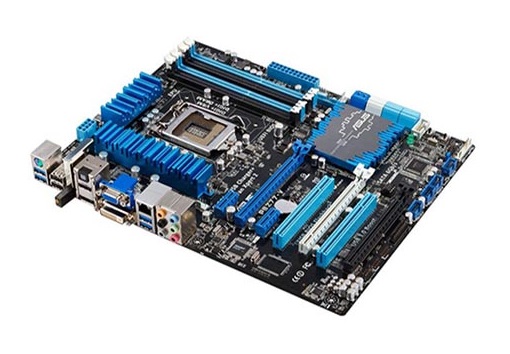
The HP System Board for the EliteDesk 705 G2 Mini Desktop serves as the main circuit hub, managing essential functions and connecting all hardware components. It fits within the compact mini desktop design, making it suitable for environments where desktop space is limited but reliable performance is necessary. |
General Information |
|
|---|---|
| Brand | HP |
Technical Information |
|
|---|---|
| Chipset | AMD integrated APU chipset (Carrizo/AMD A-series PRO integrated graphics) |
| Compatible Processors | AMD PRO A-Series APUs (BGA) e.g., AMD A10 Pro/A8 Pro family (soldered BGA APUs used in EliteDesk 705 G2 Mini) |
| Board Socket Type | BGA (soldered) |
| Memory Slots | 2 SODIMM |
| Memory Support | DDR4 SODIMM, 2133 MHz (supports dual-channel, up to 32GB typical: 2 x 16GB) |
| Expansion Slots | M.2 (Key M for SSD, Key E for WLAN) — no full‑size PCIe expansion slots (proprietary mini desktop layout) |
Physical Characteristics |
|
|---|---|
| Form Factor | HP proprietary Mini Desktop motherboard (mini/ultra‑small form factor) |
| Weight | 3.00 |
| Condition | Refurbished |
Miscellaneous |
|
|---|---|
| Assembly Required | Yes |
| Eco Friendly | Yes |
| Compliance Standards | WEEE, RoHS, cURus, CE, FCC, CCC, UL, TUV, cULus, CSA, cUL |
Product Description |
|---|
This HP System Board is designed specifically for the EliteDesk 705 G2 Mini Desktop, providing the core hardware foundation for the system. It handles communication between the processor, memory, and peripherals to ensure smooth operation. Often found in office and business environments, this motherboard supports compact and efficient setups where space-saving is important. IT professionals and system builders rely on it to replace or upgrade existing hardware. Key Features
This motherboard is typically installed within small-sized desktop PCs in corporate offices and small businesses. Its role is crucial for maintaining system stability and compatibility with other components. |
Use Cases |
|---|
The 810662-604 HP AMD EliteDesk 705 G2 Mini Desktop System Board is primarily utilized in compact workspace environments where maintaining desktop functionality with limited physical space is critical. It is especially suited for IT administrators managing small to medium-sized businesses seeking efficient hardware replacement or upgrade solutions without expanding system footprints. How It's Used:
This system board facilitates operational continuity by delivering essential performance within tight spatial requirements, enabling IT departments to optimize workstation deployments without compromising scalability or system responsiveness in business-critical applications. |
 Shipping Options
 International Delivery
Requires a UPS, FedEx, or DHL account. Customers may arrange pickup from our US warehouse.
International Delivery
Requires a UPS, FedEx, or DHL account. Customers may arrange pickup from our US warehouse.
 Payment Methods
We accept Visa, Mastercard, AMEX, Discover, and Wire Transfer.
Payment Methods
We accept Visa, Mastercard, AMEX, Discover, and Wire Transfer.
 Purchase Orders
We process purchase orders for government agencies, enterprises, data centers, and SMBs.
Purchase Orders
We process purchase orders for government agencies, enterprises, data centers, and SMBs.