

Subscribe To Our Newsletter!
Subscribe to the newsletter to stay up to date with the latest news and most useful
Newsletter
↑
Back to Top



| Product Overview |
|---|
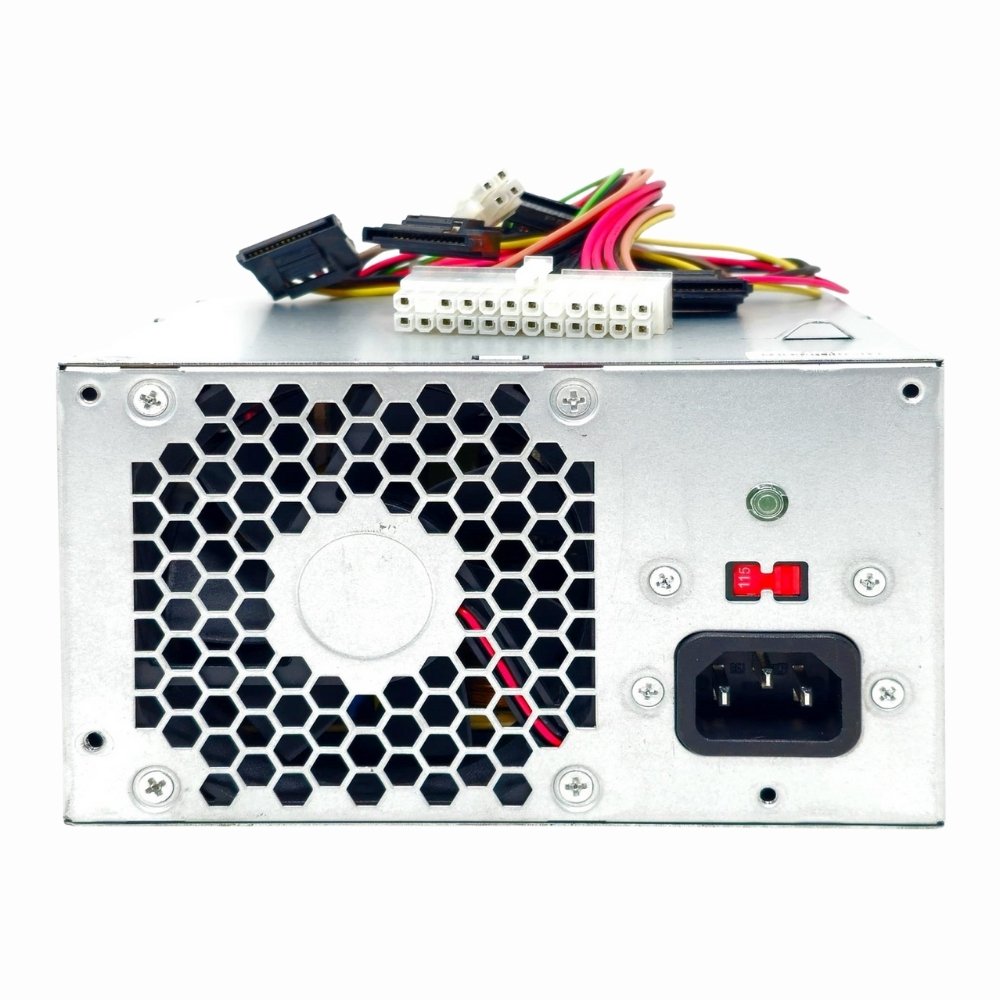
The FH-XD301MYR-1 HP 300-Watt power supply is engineered specifically for the Pavilion H8-1020 desktop, supplying consistent power while fitting neatly inside the case. It’s an essential component for maintaining system stability and delivering energy efficiently without modifications or special setup. |
| General Information | |
|---|---|
| Brand | HP |
| Part Number | FH-XD301MYR-1 |
| Condition | Refurbished |
| Technical Information | |
|---|---|
| Input Voltage | 200-240V AC |
| Input Frequency | 50-60 Hz |
| Output | +12V,+5V,+3.3V,-12V,+5VSB |
| Max. Output Power | 300W |
| Hot Swappable | No |
| Redundant Support | No |
| Cooling Type | Active Fan |
| Modularity | Non-Modular |
| rail_design | Single 12V Rail |
| Number of Fans | 1 |
| Compatibility | |
|---|---|
| Form Factor | Proprietary |
| Compatible For | Pavilion H8-1020 Desktop System |
| Connectors | |
|---|---|
| Connector Types | 20+4-pin ATX, 4-pin CPU, SATA, Molex, Floppy |
| Physical Characteristics | |
|---|---|
| Weight | 3.00 |
| Product Description |
|---|
This 300-Watt power supply unit is built for HP Pavilion H8-1020 desktop systems, providing the necessary power for daily computing tasks. It's commonly used to replace or upgrade the internal power source, ensuring reliable operation and preventing power-related issues. Often found in home or office setups, this PSU suits users who want a dependable power solution for their Pavilion H8-1020. Whether upgrading an older unit or replacing a failing supply, it offers a straightforward installation and consistent performance. Key Features
This power supply is typically installed inside the HP Pavilion H8-1020 desktop tower and runs quietly under normal workloads. It plays a key role in maintaining system stability and delivering steady current to all components. Users benefit from its compatibility and reliability, minimizing downtime and ensuring the desktop remains fully operational through regular use. |
 Shipping Options
 International Delivery
Requires a UPS, FedEx, or DHL account. Customers may arrange pickup from our US warehouse.
International Delivery
Requires a UPS, FedEx, or DHL account. Customers may arrange pickup from our US warehouse.
 Payment Methods
We accept Visa, Mastercard, AMEX, Discover, and Wire Transfer.
Payment Methods
We accept Visa, Mastercard, AMEX, Discover, and Wire Transfer.
 Purchase Orders
We process purchase orders for government agencies, enterprises, data centers, and SMBs.
Purchase Orders
We process purchase orders for government agencies, enterprises, data centers, and SMBs.