

Subscribe To Our Newsletter!
Subscribe to the newsletter to stay up to date with the latest news and most useful
Newsletter
↑
Back to Top



Product Overview |
|---|
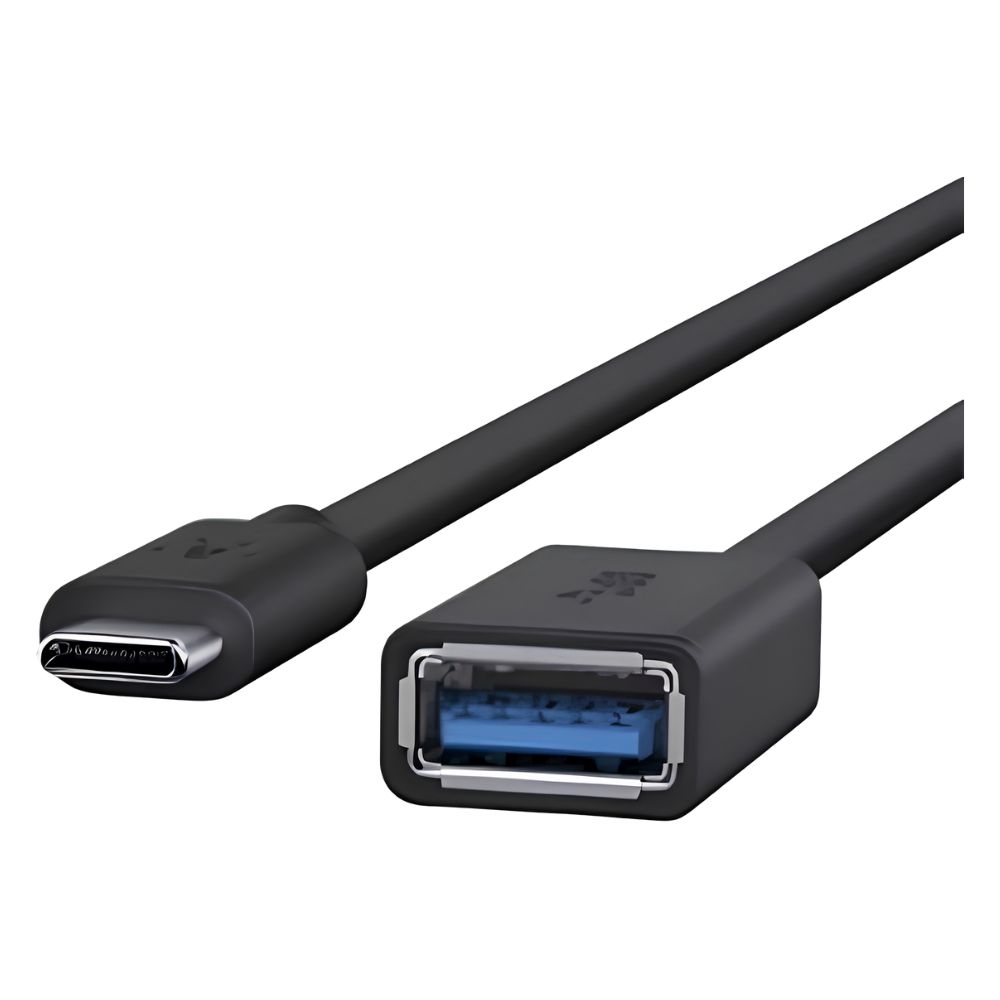
The Belkin 3.0 USB-C to USB-A Adapter enables connection of USB-A devices to USB-C ports, supporting USB 3.0 data transfer speeds. It is designed for MacBook users or other USB-C device owners needing compatibility with legacy USB peripherals, featuring a compact design suitable for travel and everyday use. |
General Information |
|
|---|---|
| Brand | Belkin |
Technical Information |
|
|---|---|
| product type | USB-C to USB-A Adapter, USB 3.0 (5 Gbps) |
| Product Category | USB Adapters |
| Compatibility | USB-C devices (MacBook, MacBook Pro, MacBook Air, iPad Pro, Chromebooks), USB-A peripherals (flash drives, mice, keyboards, etc.) |
Miscellaneous |
|
|---|---|
| Assembly Required | No |
Physical Characteristics |
|
|---|---|
| Form Factor | Adapter |
| Weight | 3.00 |
| Condition | Refurbished |
Product Description |
|---|
The Belkin F2CU036BTBLK is a USB-C to USB-A adapter designed to connect USB-A devices to USB-C ports. This adapter facilitates data transfer and peripheral connectivity from older USB-A devices to newer USB-C equipped computers such as the MacBook. This adapter is commonly used by professionals and consumers who need to connect legacy USB devices to modern laptops and tablets. It provides a straightforward solution without the need for additional cables. Key Features
Overall, this adapter enables users to retain usability of USB-A peripherals while transitioning to USB-C devices. It offers a practical means to bridge connection types without requiring device replacement. |
Use Cases |
|---|
This USB-C to USB-A adapter is typically used in environments where users have USB-C laptops or tablets, such as MacBooks, and need to connect USB-A accessories. It is suitable for professionals, students, and general consumers who require data transfer or peripheral connectivity. How It's Used:
The adapter serves as a practical accessory that enables continued use of existing USB-A devices with modern USB-C interfaces, supporting workflow continuity without additional equipment. |
FAQ's |
|---|
|
 Shipping Options
 International Delivery
Requires a UPS, FedEx, or DHL account. Customers may arrange pickup from our US warehouse.
 Payment Methods
We accept Visa, Mastercard, AMEX, Discover, and Wire Transfer.
 Purchase Orders
We process purchase orders for government agencies, enterprises, data centers, and SMBs.