

Subscribe To Our Newsletter!
Subscribe to the newsletter to stay up to date with the latest news and most useful
Newsletter
↑
Back to Top



Product Overview |
|---|
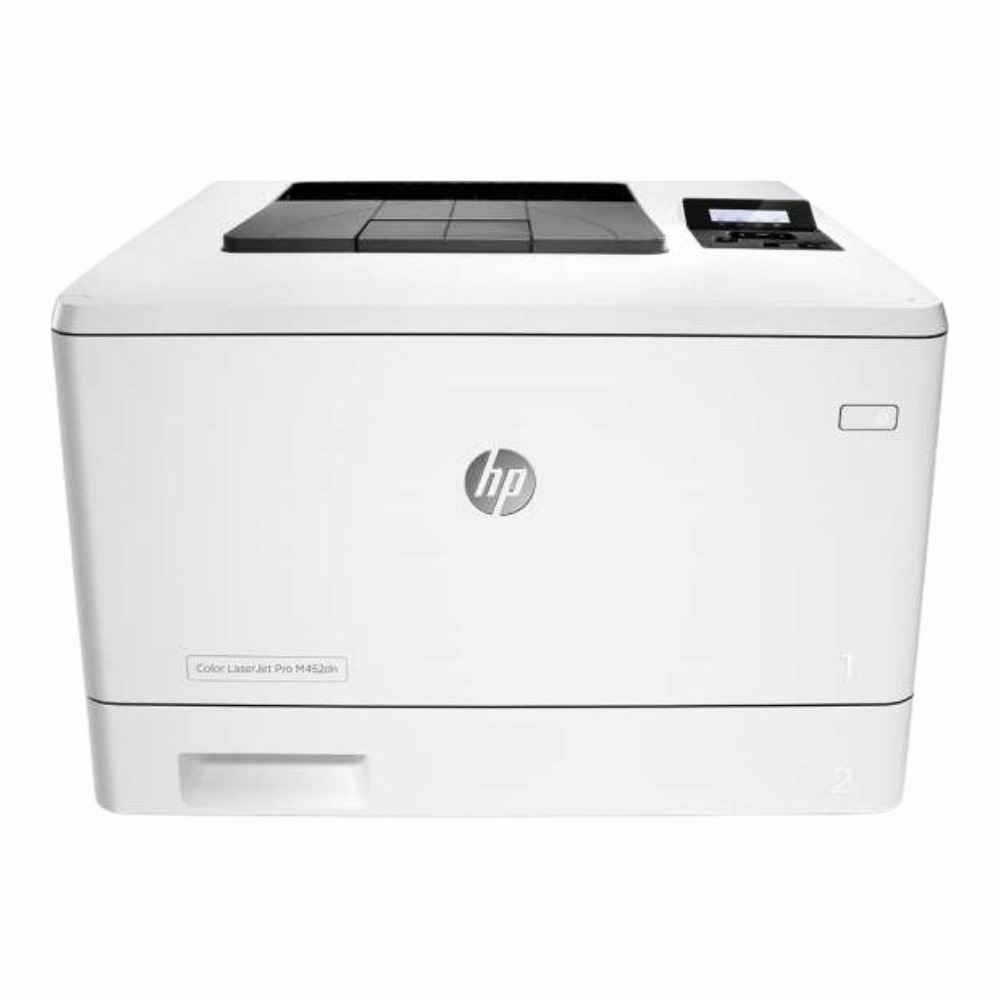
The HP Color LaserJet Pro M452dn provides dependable color printing that fits well in busy office settings. It handles everyday printing tasks with a focus on clear images and smooth operation, fitting into environments where networked access and consistent speed are essential. |
General Information |
|
|---|---|
| Brand | HP |
| Part Number | CF389A |
Technical Information |
|
|---|---|
| Functions | |
| Print Speed | Up to 28 ppm (black and color, ISO/IEC) |
| Print Resolution | 600 x 600 dpi |
| Feature | Color Printing, Duplex Printing (Automatic), Fast Printing (up to 28 ppm), Ethernet networking, USB 2.0, 250-sheet input tray + 100-sheet multipurpose tray, ENERGY STAR certified |
| Connectivity | USB 2.0, Ethernet (10/100 Base-TX) |
| Light Source | Laser |
Miscellaneous |
|
|---|---|
| Eco Friendly | Yes |
Paper & Media |
|
|---|---|
| Tray Capacity | 250-sheet input tray + 100-sheet multipurpose tray (total 350 sheets) |
| Duplex Printing | Automatic (two-sided) |
| Supported Paper Sizes | Letter, Legal, Envelopes |
Compatibility |
|
|---|---|
| OS Support | Windows 7, Windows 8, Windows 8.1, Windows 10, macOS |
Physical Characteristics |
|
|---|---|
| Dimensions | 12.8 x 16.9 x 19.8 in (324 x 430 x 503 mm) |
| Weight | 5.00 |
| Condition | Refurbished |
Product Description |
|---|
The HP Color LaserJet Pro M452dn is designed to deliver reliable color printing with sharp detail and consistent performance. Often found in office environments where quality and speed matter, it handles daily print tasks efficiently. Built for professionals needing vibrant prints without sacrificing speed or connectivity options, this printer supports networked workgroups through its Ethernet port as well as direct USB connections. Key Features
This printer is typically used in office spaces where multiple users require quick access to color printing. It fits well on a desktop or in a shared printer area, making it a practical choice for teams that need sharp, vivid prints regularly. The device's balance of speed and quality helps streamline workflow while maintaining professional output. |
Use Cases |
|---|
The HP Color LaserJet Pro M452dn is ideal for small to medium-sized office environments requiring reliable networked color printing. It supports teams that demand quick output of marketing materials, reports, and presentations with consistent quality and connectivity options suited for multi-user access. How It's Used:
This printer enhances operational workflows by delivering consistent print speeds and dependable network connectivity, enabling teams to maintain productivity without compromise on output quality or device availability. |
 Shipping Options
 International Delivery
Requires a UPS, FedEx, or DHL account. Customers may arrange pickup from our US warehouse.
International Delivery
Requires a UPS, FedEx, or DHL account. Customers may arrange pickup from our US warehouse.
 Payment Methods
We accept Visa, Mastercard, AMEX, Discover, and Wire Transfer.
Payment Methods
We accept Visa, Mastercard, AMEX, Discover, and Wire Transfer.
 Purchase Orders
We process purchase orders for government agencies, enterprises, data centers, and SMBs.
Purchase Orders
We process purchase orders for government agencies, enterprises, data centers, and SMBs.