

Subscribe To Our Newsletter!
Subscribe to the newsletter to stay up to date with the latest news and most useful
Newsletter
↑
Back to Top



Product Overview |
|---|
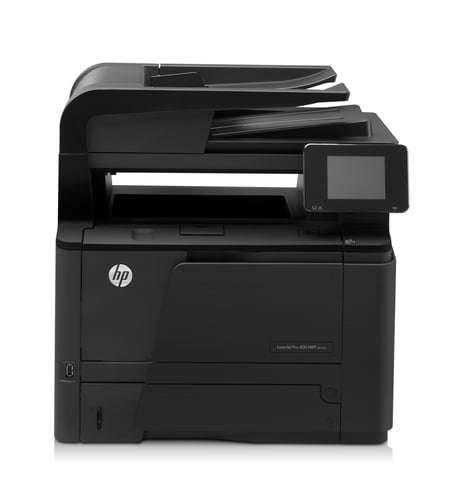
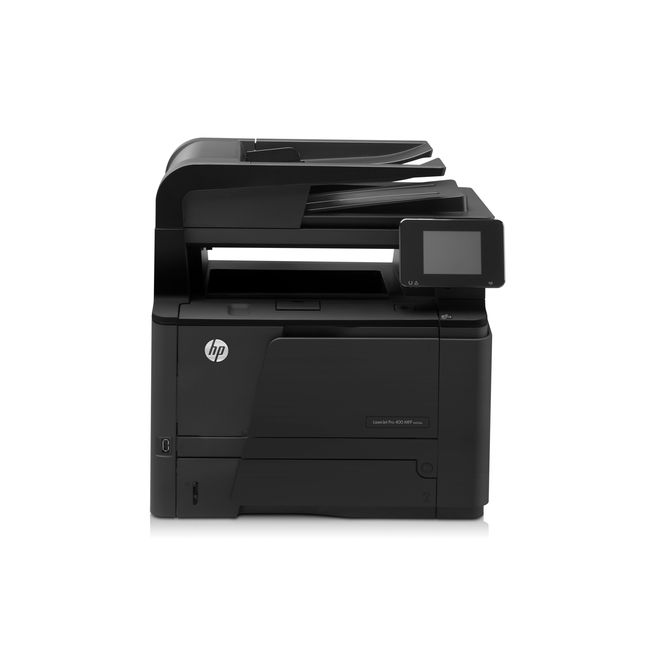
The HP LaserJet Pro 400 M425dn is a multifunction printer designed to meet the needs of small to medium-sized offices. It combines sharp laser printing with scanning, copying, and faxing capabilities, fitting neatly into workspaces where efficiency and quality are key. Its reliable network and USB connections allow easy sharing among users, making it a versatile tool for daily document management. |
General Information |
|
|---|---|
| Brand | HP |
| Part Number | CF286A |
Technical Information |
|
|---|---|
| Functions | Scan, Copy, Fax, Print, E-mail |
| Print Speed | Up to 35 ppm (black) |
| Print Resolution | 1200 x 1200 dpi (rendered) |
| Scanner | USB, Ethernet (network scanning) |
| Feature | Automatic duplex printing, Network ready (Ethernet), USB 2.0, 50-sheet ADF, 250-sheet input tray, Mobile printing (HP ePrint, Apple AirPrint) |
| Connectivity | USB 2.0, Ethernet (10/100), Network (scan-to-email/SMB), USB host |
| Light Source | Laser |
| Scan File Formats | PDF, JPEG, TIFF, PNG |
| Compatible Printers | HP LaserJet Pro 400 M401n, M401d, M401dn, M401dw, HP LaserJet Pro 400 M425dn, M425dw |
Miscellaneous |
|
|---|---|
| Eco Friendly | Yes |
Paper & Media |
|
|---|---|
| Tray Capacity | 250 sheets (standard input) |
| Duplex Printing | Automatic (Yes) |
| Duplex Scanning | No |
| Supported Paper Sizes | Letter, Legal, 4x6", 5x7", Envelopes |
| ADF | 50-sheet ADF |
Compatibility |
|
|---|---|
| OS Support | Windows 7, Windows 8, Windows 10, Windows 11, macOS (10.12+), Linux |
Physical Characteristics |
|
|---|---|
| Weight | 5.00 |
| Condition | Refurbished |
Product Description |
|---|
The HP LaserJet Pro 400 M425dn is built for offices needing reliable and efficient document handling. It combines high-quality laser printing with scanning, copying, and faxing in one device. This printer is often found in small to medium workplaces where fast output and crisp text are essential. Commonly used on desktop setups, it supports both USB and wired network connections, allowing multiple users to access it easily. Users who benefit most include administrative staff, small business teams, and home offices requiring professional results without complex management. Key Features
This printer is typically deployed in office environments where space and budget are considerations but document performance cannot be compromised. It manages everyday printing needs smoothly and simplifies routine tasks with its multifunction design. Many users appreciate how this model fits into a networked setup, enabling shared access without hassle. The ability to handle high volumes without sacrificing quality makes it a practical choice for busy departments. |
Use Cases |
|---|
The HP LaserJet Pro 400 M425dn is well-suited for small to medium-sized office environments where multifunction capabilities are essential for daily operations. IT administrators and office managers benefit from its network integration, enabling efficient document handling without compromising workspace constraints. How It's Used:
By integrating print, scan, copy, and fax functions into a single device with robust connectivity, the HP LaserJet Pro 400 M425dn optimizes operational workflows. Its balance of speed and resolution supports scalability in office productivity, helping to streamline document management processes within diverse professional settings. |
 Shipping Options
 International Delivery
Requires a UPS, FedEx, or DHL account. Customers may arrange pickup from our US warehouse.
International Delivery
Requires a UPS, FedEx, or DHL account. Customers may arrange pickup from our US warehouse.
 Payment Methods
We accept Visa, Mastercard, AMEX, Discover, and Wire Transfer.
Payment Methods
We accept Visa, Mastercard, AMEX, Discover, and Wire Transfer.
 Purchase Orders
We process purchase orders for government agencies, enterprises, data centers, and SMBs.
Purchase Orders
We process purchase orders for government agencies, enterprises, data centers, and SMBs.