

Subscribe To Our Newsletter!
Subscribe to the newsletter to stay up to date with the latest news and most useful
Newsletter
↑
Back to Top



Product Overview |
|---|
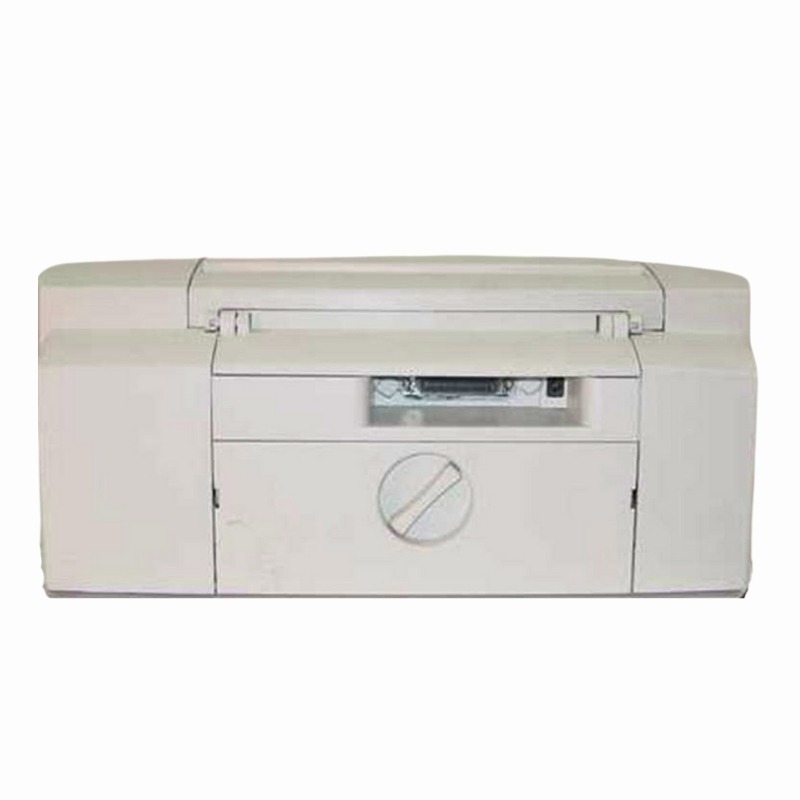
The HP DeskJet 722C inkjet printer offers clear printing capabilities with its 600 dpi resolution and supports up to 100 sheets of paper at a time. It fits well in environments that require straightforward printing like homes or small offices, delivering reliable output without extra complexity. |
General Information |
|
|---|---|
| Brand | HP |
| Part Number | C5871A |
Technical Information |
|
|---|---|
| Printer Technology | Inkjet |
| Functions | |
| Print Speed | Up to 4 ppm (black), up to 2 ppm (color) |
| Print Resolution | 600 x 600 dpi |
| Feature | Color Printing,Photo Printing,100-sheet Input Tray,600 dpi |
| Connectivity | Parallel (IEEE-1284) |
| Power Consumption | Approx. 30 W (printing), <5 W (standby/off) |
Paper & Media |
|
|---|---|
| Tray Capacity | 100 sheets |
| Duplex Printing | No |
| Supported Paper Sizes | Letter, Legal, Envelopes |
| ADF | No |
Compatibility |
|
|---|---|
| OS Support | Windows 95/98/NT4.0/2000/Me; Mac OS 8.6–9.x (drivers available); limited support on early Mac OS X |
Physical Characteristics |
|
|---|---|
| Dimensions | 6.5 x 16.9 x 7.5 inches (H x W x D) |
| Weight | 5.00 |
| Condition | Refurbished |
Product Description |
|---|
The HP DeskJet 722C is an inkjet printer designed for everyday printing tasks. It produces clear and vibrant prints with its 600 dpi resolution, making it a reliable choice for documents and photos alike. This model is often found in home offices and small workspaces where moderate printing volume is needed. Built for users who need straightforward printing without complicated setups, the DeskJet 722C handles standard printing needs efficiently. Its 100-sheet input tray means fewer interruptions, making it practical for both personal and professional use. Key Features
This printer is typically deployed in home offices, student workstations, and small businesses where space and ease of use matter. It reliably handles daily print tasks without requiring extensive maintenance or technical input. Users benefit from its balance of print quality and capacity, making it an accessible option for those needing consistent results without complex features. |
Use Cases |
|---|
The HP DeskJet 722C is commonly deployed in small office and home office environments where space constraints and moderate print volumes are standard. It is well-suited for users requiring dependable, sharp color and monochrome prints without the need for advanced networking or high-capacity input trays. How It's Used:
By delivering consistent print quality and accommodating up to 100 sheets, the HP DeskJet 722C supports operational workflows in settings where printing demands are steady but not intensive. Its straightforward design aligns with environments prioritizing simplicity and reliability over complex multi-function capabilities. |
 Shipping Options
 International Delivery
Requires a UPS, FedEx, or DHL account. Customers may arrange pickup from our US warehouse.
International Delivery
Requires a UPS, FedEx, or DHL account. Customers may arrange pickup from our US warehouse.
 Payment Methods
We accept Visa, Mastercard, AMEX, Discover, and Wire Transfer.
Payment Methods
We accept Visa, Mastercard, AMEX, Discover, and Wire Transfer.
 Purchase Orders
We process purchase orders for government agencies, enterprises, data centers, and SMBs.
Purchase Orders
We process purchase orders for government agencies, enterprises, data centers, and SMBs.