

Subscribe To Our Newsletter!
Subscribe to the newsletter to stay up to date with the latest news and most useful
Newsletter
↑
Back to Top



Product Overview |
|---|
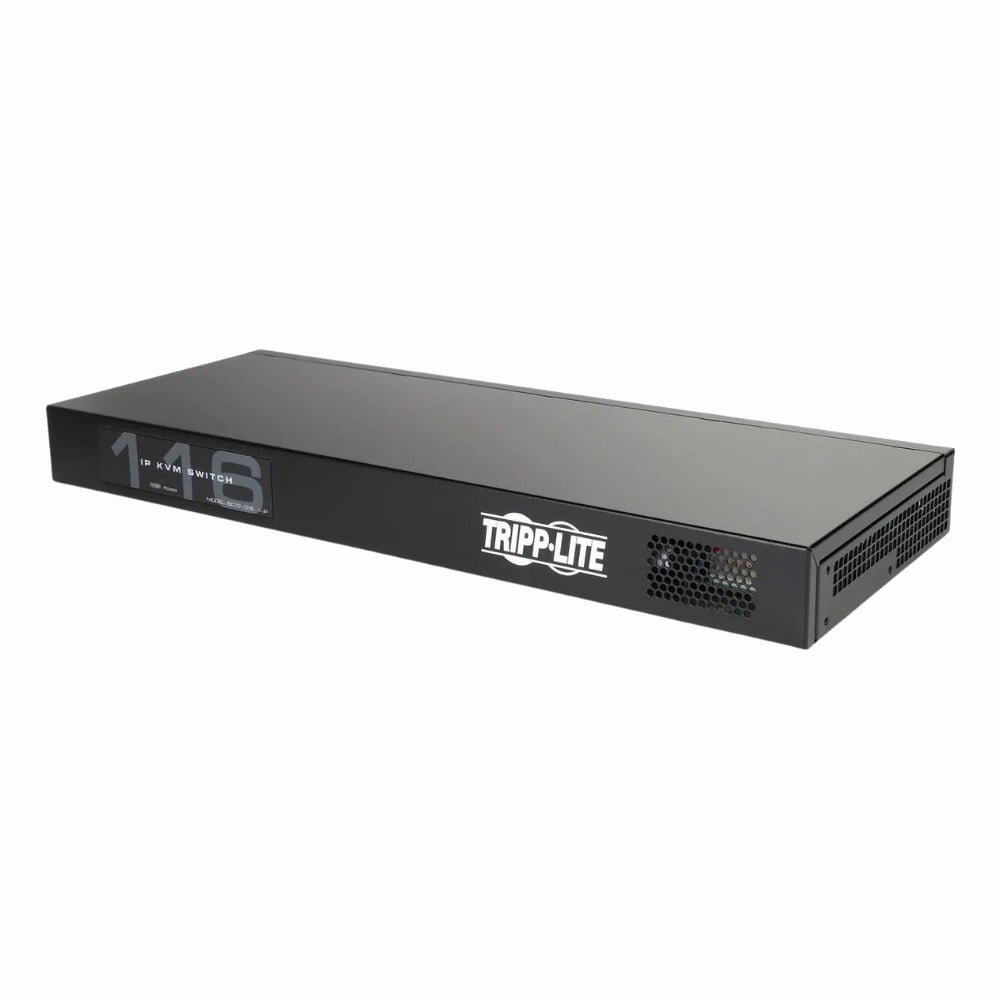
The Tripp Lite Netcommander 16-Ports Desktop KVM Switch serves as a centralized control hub to manage multiple computers from one keyboard, video display, and mouse setup. Ideal for environments with numerous servers or PCs, it simplifies system oversight and conserves workspace without sacrificing functionality. |
General Information |
|
|---|---|
| Brand | Tripp Lite |
| Part Number | B072-016-1 |
| Form Factor | Rack-Mountable |
| Mount Type | Desktop |
| Condition | Refurbished |
Technical Information |
|
|---|---|
| Switch Ports | 16 |
| Number of Ports | 16-Ports |
| Port Type | USB Console |
| UpLink Ports | 1 x Console port (VGA + USB/PS2), 1 x Ethernet, 1 x USB |
| POE Support | No |
| VLAN Support | No |
| Stackable | No |
| Connector Type | RJ-45, VGA, USB, PS/2 |
Management and Configuration |
|
|---|---|
| Remote Protocols | No |
| Management Interfaces | VGA,USB,PS/2 |
| Management Type | Local |
Power & Cooling |
|
|---|---|
| Fans | Fanless (silent) |
| Power | 100–240V AC, 50/60 Hz |
Physical Characteristics |
|
|---|---|
| Dimensions | 1.7 x 17.3 x 10 inches |
| Weight | 6.00 |
| Operating Temperature | 0°C to 40°C (32°F to 104°F) |
Product Description |
|---|
The Tripp Lite Netcommander 16-Ports Desktop KVM Switch allows users to control up to 16 computers from a single keyboard, monitor, and mouse setup. This device is commonly used in server rooms, data centers, and office environments where managing multiple machines efficiently is essential. Built for IT professionals and system administrators, it simplifies system management by reducing clutter and improving workspace organization. The switch works with VGA video signals and PS/2 peripherals, making it compatible with many legacy systems. Key Features
This KVM switch is often found in environments that require centralized control of multiple servers or workstations, such as network operations centers or IT departments. It helps reduce the need for extra peripherals, saving desk space and improving workflow. Using this switch means less hardware to manage and quicker access to any connected computer, making it a practical solution for multitasking and system monitoring. |
Use Cases |
|---|
The Tripp Lite Netcommander 16-Ports Desktop KVM Switch is commonly deployed in server rooms, IT closets, and small to medium-sized enterprise environments where centralized control over multiple computers is essential. It benefits system administrators and IT professionals managing several servers or workstations in close proximity, streamlining hardware access without requiring multiple peripherals. How It's Used:
By centralizing keyboard, video, and mouse access to multiple machines, this KVM switch enhances operational workflows and reduces the physical footprint of IT hardware. Its design supports scalable management, enabling efficient resource allocation and faster system administration in complex infrastructure environments. |
 Shipping Options
 International Delivery
Requires a UPS, FedEx, or DHL account. Customers may arrange pickup from our US warehouse.
International Delivery
Requires a UPS, FedEx, or DHL account. Customers may arrange pickup from our US warehouse.
 Payment Methods
We accept Visa, Mastercard, AMEX, Discover, and Wire Transfer.
Payment Methods
We accept Visa, Mastercard, AMEX, Discover, and Wire Transfer.
 Purchase Orders
We process purchase orders for government agencies, enterprises, data centers, and SMBs.
Purchase Orders
We process purchase orders for government agencies, enterprises, data centers, and SMBs.