

Subscribe To Our Newsletter!
Subscribe to the newsletter to stay up to date with the latest news and most useful
Newsletter
↑
Back to Top



Product Overview |
|---|
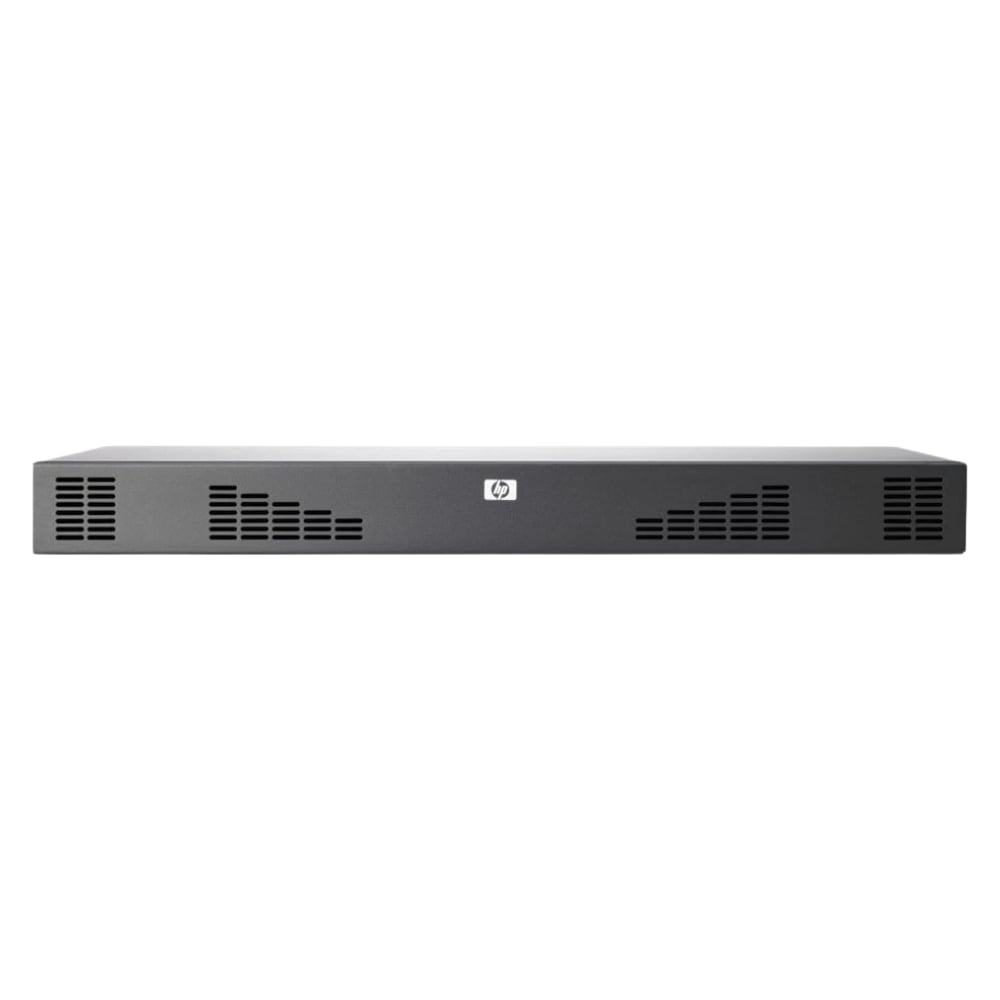
The AF622A#0D1 HP 4x1Ex32 x Ports KVM IP Console Switch G2 enables remote control of multiple servers through a consolidated IP interface. It fits within data center infrastructures to streamline server access and management without requiring physical connections at every server. |
General Information |
|
|---|---|
| Brand | HP |
| Condition | Refurbished |
Technical Information |
|
|---|---|
| Number of Ports | 32-Ports |
| Port Type | 10/100Base-T, RJ-45, USB Console |
| Port Speed | 10/100 Mbps |
| UpLink Ports | 1 |
| POE Support | No |
| VLAN Support | No |
| Stackable | No |
| Connector Type | RJ-45,USB Type-A |
Management and Configuration |
|
|---|---|
| Remote Protocols | Yes |
| Management Interfaces | Web (HTTP/HTTPS),SSH,Telnet,Serial,Virtual Media,SNMP |
| Security Features | LDAP/Active Directory,RADIUS,TACACS+,Password protection,SSL/SSH encryption,Smart card (CAC) support,IP/MAC access control |
| Management Type | Out-of-band |
| Remote Management Protocol | HTTPS,SSH,Telnet,SNMP |
Physical Characteristics |
|
|---|---|
| Weight | 3.00 |
Miscellaneous |
|
|---|---|
| Assembly Required | No |
| Compliance Standards | RoHS, CE, FCC |
Product Description |
|---|
The AF622A#0D1 HP 4x1Ex32 x Ports KVM IP Console Switch G2 facilitates centralized control of multiple servers through a single interface. It is commonly found in data centers and IT racks where remote server management is essential. Built for system administrators and IT professionals, this switch simplifies hardware control and monitoring. Key Features
This switch provides reliable and efficient server management, reducing the need for physical presence. Its performance ensures smooth operations in complex IT environments, offering consistent access with security and flexibility. |
Use Cases |
|---|
This KVM IP Console Switch is typically deployed in server rooms and data centers where secure, remote management of multiple servers is necessary. IT teams benefit from its ability to reduce hardware complexity while maintaining control over diverse hardware configurations. How It's Used:
The switch helps maintain operational efficiency by consolidating server access, enabling scalability, and enhancing security. It supports the performance demands of modern IT infrastructures and simplifies routine management tasks. |
 Shipping Options
 International Delivery
Requires a UPS, FedEx, or DHL account. Customers may arrange pickup from our US warehouse.
International Delivery
Requires a UPS, FedEx, or DHL account. Customers may arrange pickup from our US warehouse.
 Payment Methods
We accept Visa, Mastercard, AMEX, Discover, and Wire Transfer.
Payment Methods
We accept Visa, Mastercard, AMEX, Discover, and Wire Transfer.
 Purchase Orders
We process purchase orders for government agencies, enterprises, data centers, and SMBs.
Purchase Orders
We process purchase orders for government agencies, enterprises, data centers, and SMBs.