

Subscribe To Our Newsletter!
Subscribe to the newsletter to stay up to date with the latest news and most useful
Newsletter
↑
Back to Top



Product Overview |
|---|
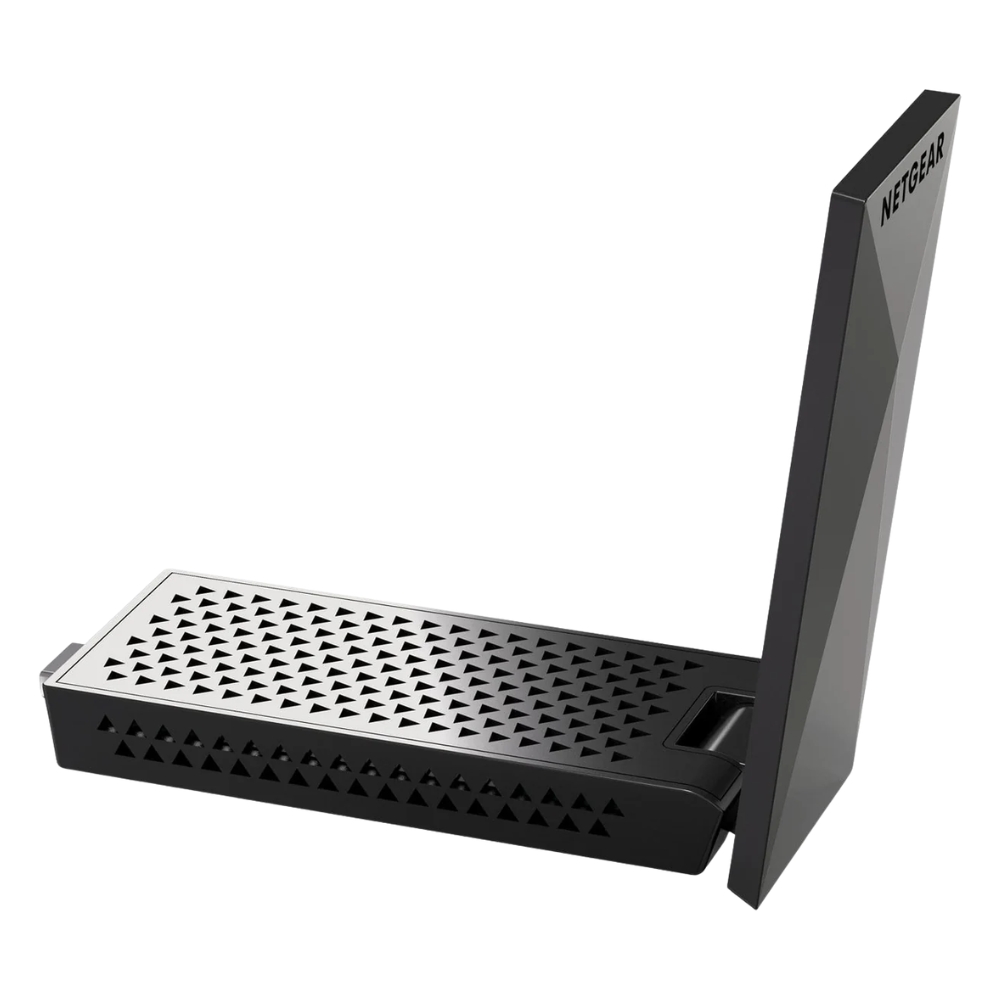
The A7000-100PES is a Wi-Fi adapter that enhances desktop computers by adding modern wireless capabilities. It fits into environments where wired connections are inconvenient and offers a streamlined way to connect desktops to high-speed Wi-Fi networks without internal hardware changes. |
General Information |
|
|---|---|
| Brand | Netgear |
Technical Information |
|
|---|---|
| Series | Nighthawk A7000 |
| product type | Wireless Adapter,USB Wi-Fi Adapter |
| Product Category | Wireless Adapters |
| Compatibility | Windows 10,Windows 8.1,Windows 8,Windows 7,Desktop PC (USB 3.0) |
Miscellaneous |
|
|---|---|
| Assembly Required | No |
| Compliance Standards | WEEE, RoHS, CE, FCC |
Physical Characteristics |
|
|---|---|
| Form Factor | USB 3.0,External,Desktop Cradle |
| Weight | 3.00 |
| Condition | Refurbished |
Product Description |
|---|
The A7000-100PES is a Wi-Fi adapter designed to add high-performance wireless connectivity to desktop computers. It commonly connects devices to modern Wi-Fi networks, supporting the 802.11ac standard for faster speeds and improved range. Often found in home offices and business environments, this adapter is built for users who need reliable wireless access without replacing their existing hardware. It helps desktop users benefit from enhanced network performance and stable connections. Key Features
This adapter provides dependable wireless connectivity, improving desktop network integration while maintaining consistent performance. Its design balances speed with ease of use, making it a practical upgrade for desktop setups requiring better Wi-Fi access. |
Use Cases |
|---|
Typically used to upgrade desktop computers in office or home environments, this adapter supports wireless networking needs where Ethernet connections are limited or unavailable. It's suited for users looking to improve network speed and flexibility without replacing their existing machines. How It's Used:
By adding wireless capability, the adapter helps maintain efficient network performance across various desktop environments. It supports scalability and ease of deployment, which are important for evolving network demands. |
 Shipping Options
 International Delivery
Requires a UPS, FedEx, or DHL account. Customers may arrange pickup from our US warehouse.
International Delivery
Requires a UPS, FedEx, or DHL account. Customers may arrange pickup from our US warehouse.
 Payment Methods
We accept Visa, Mastercard, AMEX, Discover, and Wire Transfer.
Payment Methods
We accept Visa, Mastercard, AMEX, Discover, and Wire Transfer.
 Purchase Orders
We process purchase orders for government agencies, enterprises, data centers, and SMBs.
Purchase Orders
We process purchase orders for government agencies, enterprises, data centers, and SMBs.