

Subscribe To Our Newsletter!
Subscribe to the newsletter to stay up to date with the latest news and most useful
Newsletter
↑
Back to Top



Product Overview |
|---|
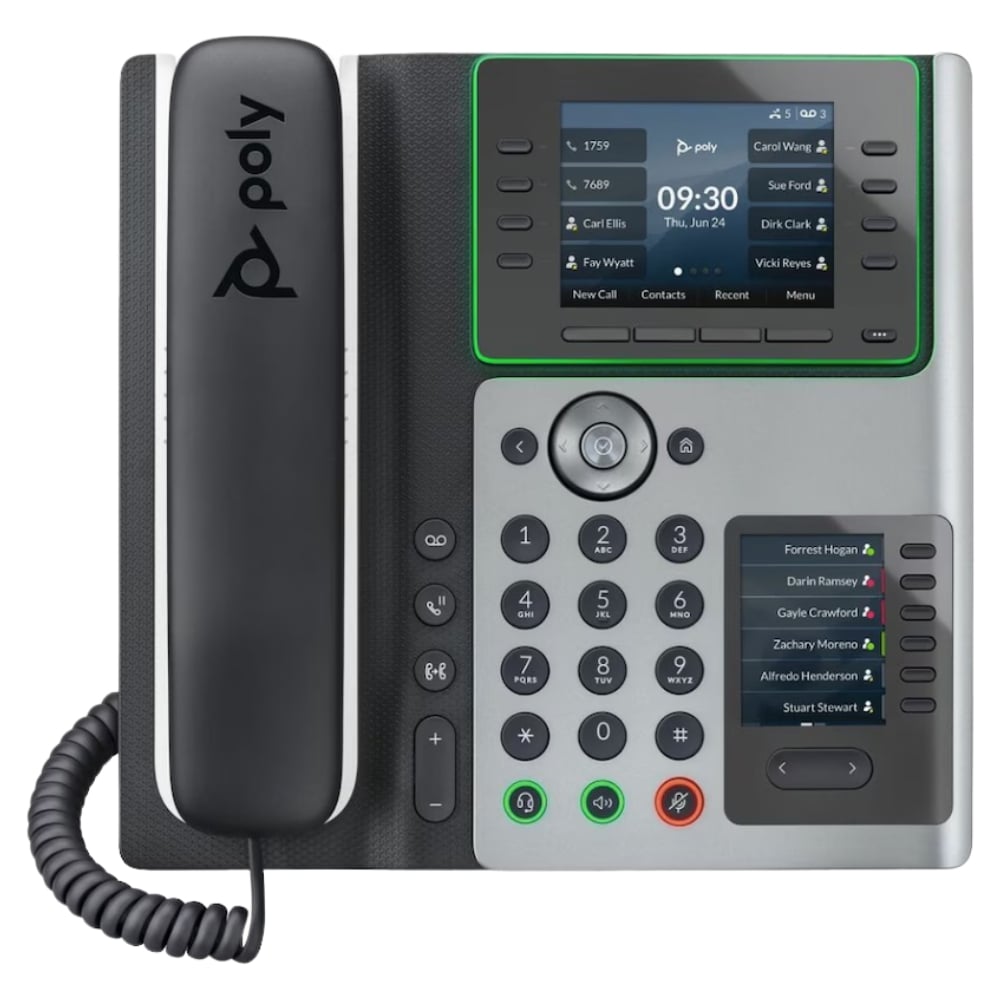
The 89B55AA#ABA - HP Edge E450 Wi-Fi 4 BT 5.0 32-Lines VoIP Desk Phone is built to provide dependable multi-line voice communication with wireless flexibility. It fits into office settings where robust network access and high call capacity intersect, serving as a reliable endpoint for daily business communications. |
General Information |
|
|---|---|
| Brand | HP |
Technical Specification |
|
|---|---|
| Voice Communication | SIP VoIP; supports up to 32 lines; Wi‑Fi 4 (802.11n); Bluetooth 5.0 |
| Usability | Wi‑Fi 4 (wireless connectivity); Bluetooth 5.0 (headset pairing); 32-line support |
Physical Characteristics |
|
|---|---|
| Condition | Refurbished |
| Weight | 3.00 |
Miscellaneous |
|
|---|---|
| Assembly Required | No |
Product Description |
|---|
The 89B55AA#ABA - HP Edge E450 is a desk phone designed to handle multiple VoIP lines efficiently. It combines reliable wireless connectivity with voice communication capabilities, making it a practical choice in office environments where flexibility and clarity matter. Often found in professional settings, this phone supports both Wi-Fi 4 and Bluetooth 5.0, allowing users to connect easily within corporate networks or pair with compatible devices. Business users and administrators benefit from its multi-line support and ability to integrate smoothly into existing VoIP infrastructures. Key Features
This phone plays an essential role in maintaining effective communication channels in business environments. Its combination of wireless connectivity and extensive line support contributes to consistent voice performance and operational reliability. The straightforward interface and construction ensure it remains user-friendly without sacrificing functionality. |
Use Cases |
|---|
This desk phone is typically utilized in office environments where multiple concurrent calls are routine, supporting professionals who require flexible device placement and wireless connectivity. IT managers and telecom administrators often deploy it in networked workspaces to optimize voice communication infrastructure. How It's Used:
In these scenarios, the device supports streamlined communication workflows by combining wireless networking with extensive line management. It helps maintain operational efficiency and scalable voice services within diverse business settings. |
 Shipping Options
 International Delivery
Requires a UPS, FedEx, or DHL account. Customers may arrange pickup from our US warehouse.
International Delivery
Requires a UPS, FedEx, or DHL account. Customers may arrange pickup from our US warehouse.
 Payment Methods
We accept Visa, Mastercard, AMEX, Discover, and Wire Transfer.
Payment Methods
We accept Visa, Mastercard, AMEX, Discover, and Wire Transfer.
 Purchase Orders
We process purchase orders for government agencies, enterprises, data centers, and SMBs.
Purchase Orders
We process purchase orders for government agencies, enterprises, data centers, and SMBs.