

Subscribe To Our Newsletter!
Subscribe to the newsletter to stay up to date with the latest news and most useful
Newsletter
↑
Back to Top



Product Overview |
|---|
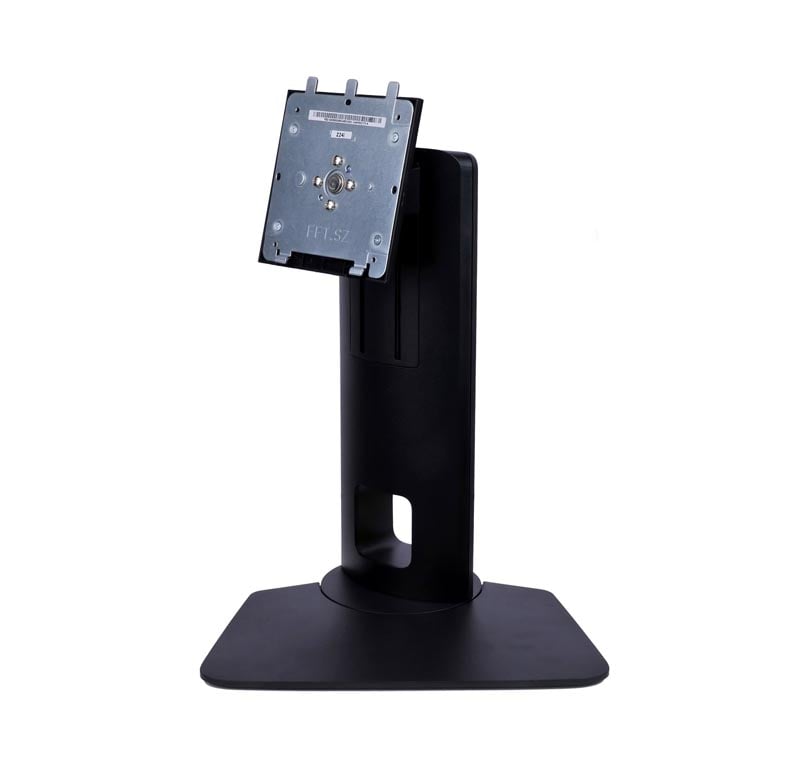
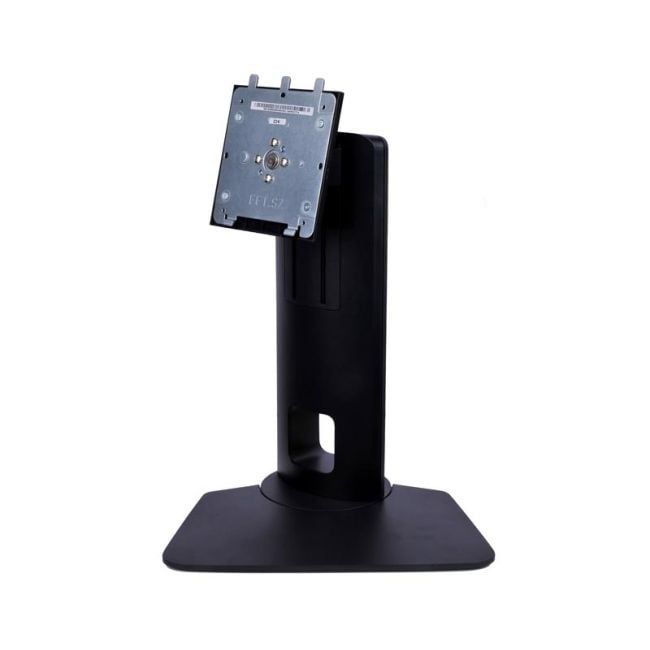
The HP Z24i 24-inch IPS LED-backlit Monitor Stand provides solid ergonomic support for the HP Z24i display, allowing users to adjust their monitor position easily. It fits into professional and office settings where clear visuals and flexible screen placement are essential for daily tasks. |
General Information |
|
|---|---|
| Brand | HP |
| Part Number | 724032-001 |
Technical Information |
|
|---|---|
| Screen Size | 24-Inch |
| Screen Type | IPS LED Backlit |
| Screen Resolution | 1920 x 1200 |
| Touchscreen Type | None |
| Monitor Ports | DisplayPort, DVI-D, VGA, USB (upstream + downstream ports) |
| Refresh Rate | 60 Hz |
| Aspect Ratio | 16:10 |
| Connectivity | DisplayPort, DVI, VGA, USB hub |
Physical Characteristics |
|
|---|---|
| Condition | Refurbished |
| Weight | 5.00 |
Miscellaneous |
|
|---|---|
| Eco Friendly | Yes |
| Assembly Required | Yes |
| Compliance Standards | CE, FCC, UL, TUV |
Product Description |
|---|
The HP Z24i monitor stand supports a 24-inch LED-backlit IPS screen delivering sharp, vibrant images suited for detailed work like graphic design and office productivity. It's commonly used in professional environments where color accuracy and ergonomic flexibility are important. Built for users who spend long hours in front of their displays, the adjustable stand allows easy positioning to reduce strain and improve comfort throughout the workday. Key Features
This stand is usually found in offices, studios, and workstations where precise visual work and comfort are needed. It helps maintain good posture and makes it easier to view the screen from different positions while keeping the workspace neat. |
Use Cases |
|---|
The HP Z24i 24-inch IPS LED-backlit Monitor Stand is designed for professional office environments where ergonomic adjustments enhance productivity and comfort. It is ideal for users requiring precise screen positioning, such as graphic designers, financial analysts, and software developers working in collaborative or individual workspaces. How It's Used:
By facilitating precise ergonomic adjustments, this monitor stand supports consistent workflow efficiency and reduces physical strain in demanding professional settings. Its adaptability makes it a practical component in scalable workstation configurations where user comfort directly impacts performance. |
 Shipping Options
 International Delivery
Requires a UPS, FedEx, or DHL account. Customers may arrange pickup from our US warehouse.
International Delivery
Requires a UPS, FedEx, or DHL account. Customers may arrange pickup from our US warehouse.
 Payment Methods
We accept Visa, Mastercard, AMEX, Discover, and Wire Transfer.
Payment Methods
We accept Visa, Mastercard, AMEX, Discover, and Wire Transfer.
 Purchase Orders
We process purchase orders for government agencies, enterprises, data centers, and SMBs.
Purchase Orders
We process purchase orders for government agencies, enterprises, data centers, and SMBs.