

Subscribe To Our Newsletter!
Subscribe to the newsletter to stay up to date with the latest news and most useful
Newsletter
↑
Back to Top



Product Overview |
|---|
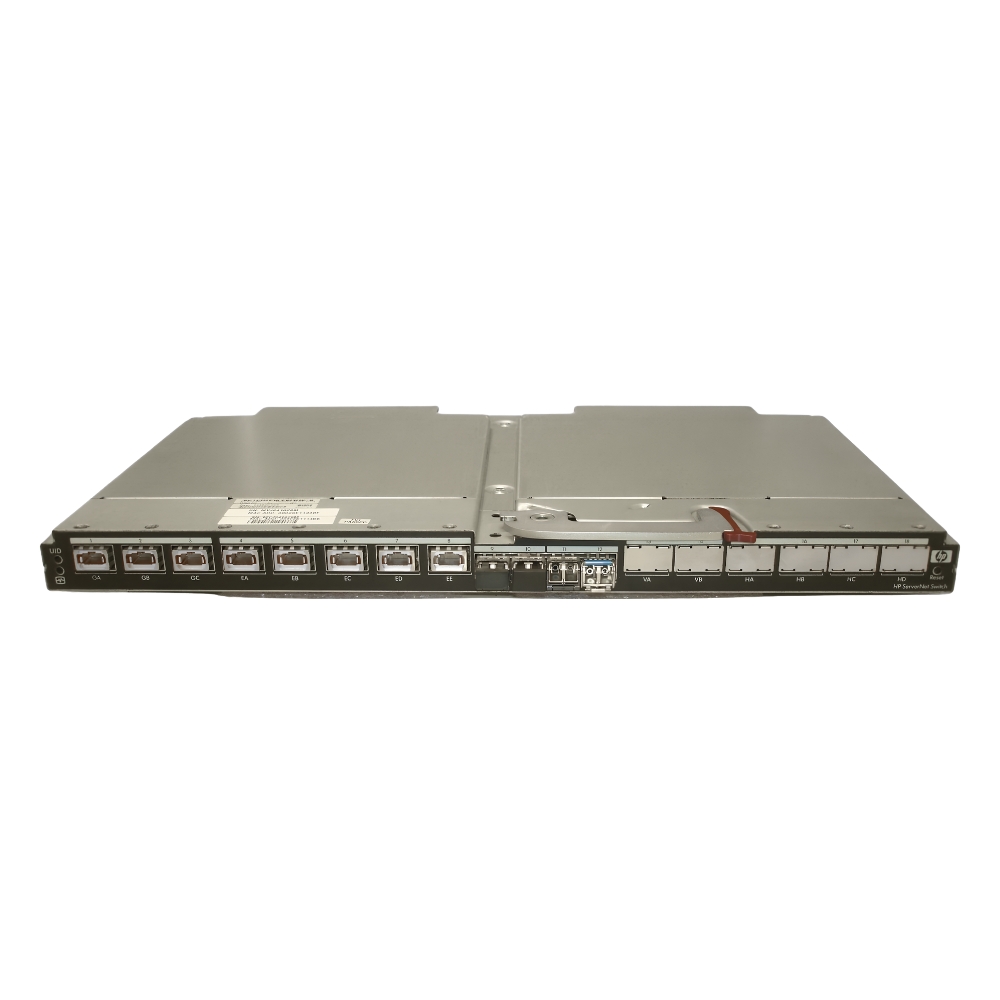
The 544620-005 HP Virtual Connect Servernet Switch acts as a dedicated network module for HP BladeSystem servers, streamlining Ethernet connections within data centers. It fits into blade enclosures to provide centralized, high-speed switching that supports virtualization and reduces cabling complexity. |
General Information |
|
|---|---|
| Brand | HP |
| Condition | Refurbished |
Technical Information |
|
|---|---|
| Switch Type | Layer 2, Managed Switch |
| Form Factor | Chassis-Based |
| Port Speed | 10GbE |
| POE Support | No |
| VLAN Support | Yes |
| Stackable | No |
| Layer Support | Layer 2 |
Management and Configuration |
|
|---|---|
| Remote Protocols | Yes |
| Management Interfaces | Web GUI,CLI,SSH |
| Remote Management Protocol | SNMP,SSH,HTTPS |
Physical Characteristics |
|
|---|---|
| Weight | 3.00 |
Miscellaneous |
|
|---|---|
| Assembly Required | No |
Product Description |
|---|
The 544620-005 HP Virtual Connect Servernet Switch is designed to optimize network connections within blade server environments. It is commonly integrated into HP BladeSystem enclosures to provide consolidated, high-performance Ethernet connectivity that supports virtualization and dynamic workloads. This switch is built for IT professionals managing data center networks who require a streamlined, manageable solution to reduce network complexity while enhancing throughput and flexibility. Key Features
By integrating directly into blade enclosures, this switch simplifies network design and helps maintain consistent connectivity across multiple servers. Its reliable performance and ease of management contribute to maintaining high availability in complex IT infrastructures. |
Use Cases |
|---|
The 544620-005 switch is typically deployed in data centers where HP BladeSystem environments are present, benefiting network administrators needing to consolidate Ethernet connections and support virtualized servers with high throughput demands. How It's Used:
This switch enhances operational efficiency by consolidating network connections and simplifying infrastructure management, ensuring scalability and consistent performance across growing virtualized environments. |
 Shipping Options
 International Delivery
Requires a UPS, FedEx, or DHL account. Customers may arrange pickup from our US warehouse.
International Delivery
Requires a UPS, FedEx, or DHL account. Customers may arrange pickup from our US warehouse.
 Payment Methods
We accept Visa, Mastercard, AMEX, Discover, and Wire Transfer.
Payment Methods
We accept Visa, Mastercard, AMEX, Discover, and Wire Transfer.
 Purchase Orders
We process purchase orders for government agencies, enterprises, data centers, and SMBs.
Purchase Orders
We process purchase orders for government agencies, enterprises, data centers, and SMBs.