

Subscribe To Our Newsletter!
Subscribe to the newsletter to stay up to date with the latest news and most useful
Newsletter
↑
Back to Top



Product Overview |
|---|
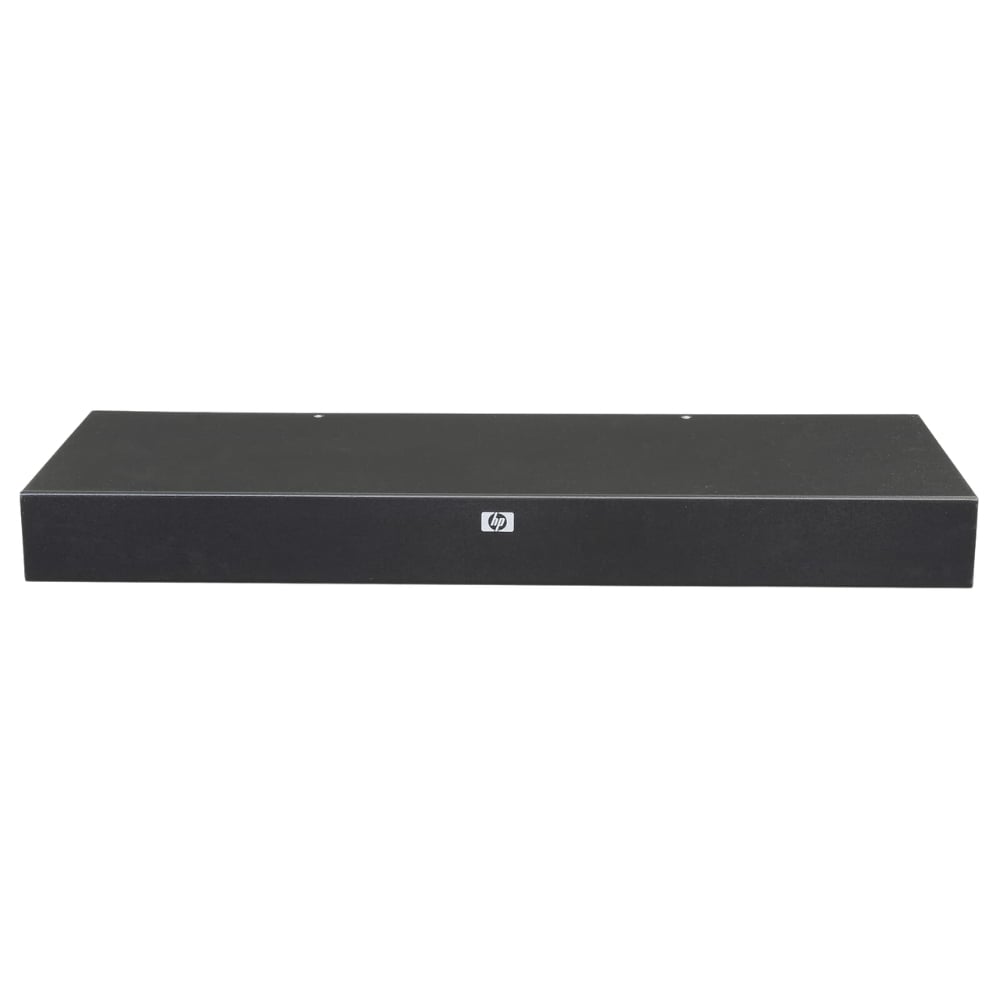
The 410531-001 HP 16-Port 4x1x16 IP USB KVM Switch provides centralized access and management of up to sixteen USB-based computers, with the flexibility of local or remote control via IP. It fits into server environments where managing multiple machines efficiently is important, offering straightforward connectivity for both hardware and network access. |
General Information |
|
|---|---|
| Brand | HP |
| Condition | Refurbished |
Technical Information |
|
|---|---|
| Switch Ports | 16-Ports |
| Number of Ports | 16-Ports |
| Port Type | 10/100Base-TX, USB Console |
| Port Speed | 10/100 Mbps |
| UpLink Ports | 1 (10/100Base-TX RJ-45) |
| POE Support | No |
| VLAN Support | No |
| Stackable | No |
| Connector Type | USB,VGA,RJ-45 |
Management and Configuration |
|
|---|---|
| Remote Protocols | Yes |
| Management Interfaces | Web GUI,Serial Console (RJ-45),Local Console |
| Security Features | HTTPS/SSL,User Authentication,LDAP/Active Directory,RADIUS,IP Access Control |
| Management Type | Remote IP and Local Console |
| Security | SSL (HTTPS),SSH,User Authentication |
| Remote Management Protocol | HTTPS,SSH,Telnet,SNMP |
Power & Cooling |
|
|---|---|
| Fans | Fanless |
Physical Characteristics |
|
|---|---|
| Weight | 3.00 |
Miscellaneous |
|
|---|---|
| Assembly Required | No |
Product Description |
|---|
The 410531-001 HP 16-Port 4x1x16 IP USB KVM Switch allows centralized control of up to sixteen USB-connected computers through both local and remote connections. It is commonly found in data centers and server rooms where managing multiple systems efficiently is required. IT administrators or systems managers often use this device to streamline hardware control and reduce the need for multiple peripherals. Key Features
This switch provides practical value by consolidating control of multiple systems into one interface, reducing clutter and improving workflow efficiency. Its reliable network capabilities and user-friendly design help maintain consistent performance in busy IT environments. |
Use Cases |
|---|
This KVM switch is typically deployed in server rooms, data centers, and enterprise IT environments where multiple USB-based computers or servers require centralized management. It benefits administrators who need to access multiple systems without switching physical keyboards, mice, and monitors for each device. How It's Used:
By enabling IP-based remote access alongside local control, this KVM switch enhances operational efficiency and scalability. It supports streamlined management workflows ensuring performance remains consistent even as the number of connected systems grows. |
 Shipping Options
 International Delivery
Requires a UPS, FedEx, or DHL account. Customers may arrange pickup from our US warehouse.
International Delivery
Requires a UPS, FedEx, or DHL account. Customers may arrange pickup from our US warehouse.
 Payment Methods
We accept Visa, Mastercard, AMEX, Discover, and Wire Transfer.
Payment Methods
We accept Visa, Mastercard, AMEX, Discover, and Wire Transfer.
 Purchase Orders
We process purchase orders for government agencies, enterprises, data centers, and SMBs.
Purchase Orders
We process purchase orders for government agencies, enterprises, data centers, and SMBs.