Subscribe To Our Newsletter!
Subscribe to the newsletter to stay up to date with the latest news and most useful
Newsletter
↑
Back to Top



Product Overview |
|---|
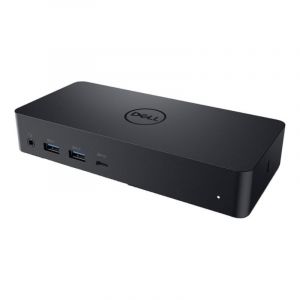
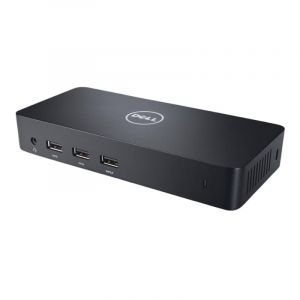
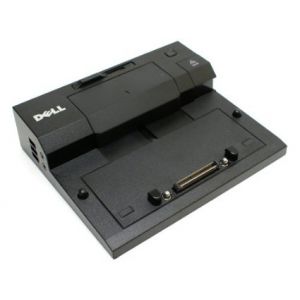
The 3850E Dell Inspiron 7000 Docking Station acts as a central connection hub designed to extend the laptop’s capabilities. It fits neatly into work areas, allowing users to connect displays, peripherals, and network cables with ease, making it a practical addition for daily work or study setups. |
General Information |
|
|---|---|
| Brand | Dell |
| Part Number | 3850E |
Technical Information |
|
|---|---|
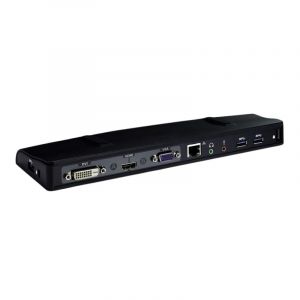
| USB Port | 2 x USB 2.0, 2 x USB 3.0, 1 x USB 3.0 with PowerShare |
| Ports | 9 |
| Audio Ports | Audio In, Audio Out |
| Output Connectors | VGA, S-Video, RJ-45 Ethernet, Audio Out |
| Power Supply | 90W AC Adapter |
Physical Characteristics |
|
|---|---|
| Weight | 5.00 |
| Condition | Refurbished |
Miscellaneous |
|
|---|---|
| Eco Friendly | Yes |
Product Description |
|---|
The 3850E Dell Inspiron 7000 Docking Station is built to expand connectivity options for Inspiron 7000 series laptops. It allows users to connect multiple devices such as monitors, keyboards, mice, and network cables through a single hub. Often found in office setups and home workspaces, this docking station simplifies the process of switching between mobile and desktop environments. Professionals, students, and anyone looking to enhance their laptop's usability benefit from its straightforward design and reliable performance. Key Features
This docking station is typically deployed in office desks and remote workstations where users need quick access to several devices without constant plugging and unplugging. It helps streamline workspace setup and keeps a tidy environment while improving overall productivity. |
Use Cases |
|---|
The 3850E Dell Inspiron 7000 Docking Station is commonly deployed in office and remote work environments where Dell Inspiron 7000 series laptops are standard. It is particularly useful for knowledge workers, IT professionals, and remote employees who require multiple peripheral connections without constant cable swapping. How It's Used:
By centralizing connectivity, this docking station reduces workspace clutter and streamlines device management. Its compatibility and port variety help organizations maintain scalable, efficient IT setups that adapt to evolving workstation needs. |
 Shipping Options
 International Delivery
Requires a UPS, FedEx, or DHL account. Customers may arrange pickup from our US warehouse.
International Delivery
Requires a UPS, FedEx, or DHL account. Customers may arrange pickup from our US warehouse.
 Payment Methods
We accept Visa, Mastercard, AMEX, Discover, and Wire Transfer.
Payment Methods
We accept Visa, Mastercard, AMEX, Discover, and Wire Transfer.
 Purchase Orders
We process purchase orders for government agencies, enterprises, data centers, and SMBs.
Purchase Orders
We process purchase orders for government agencies, enterprises, data centers, and SMBs.