

Subscribe To Our Newsletter!
Subscribe to the newsletter to stay up to date with the latest news and most useful
Newsletter
↑
Back to Top



Product Overview |
|---|
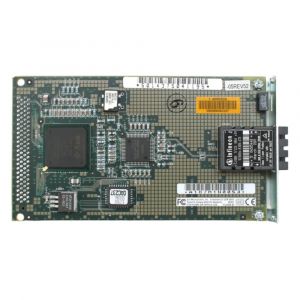
The HP 100 FDDI PCI Network Interface Card enables 100 Mbps fiber optic connectivity using the FDDI standard and fits into PCI slots of compatible computers. It supports integration into fiber optic network environments requiring this specific interface standard. |
General Information |
|
|---|---|
| Brand | HP |
Technical Information |
|
|---|---|
| Product Type | Network Interface Card |
| Data Center Bridging | No |
| Number of Ports | 1-Port |
| Bracket Height | Full Height (Standard) |
Connectivity & Physical |
|
|---|---|
| Form Factor | Full Height |
| Cabling Type | Fiber Optic (MMF) |
| Weight | 3.00 |
| Condition | Refurbished |
Miscellaneous |
|
|---|---|
| Assembly Required | No |
Product Description |
|---|
The HP 100 FDDI PCI Network Interface Card provides fiber optic network connectivity operating at 100 Mbps using the FDDI standard. It is designed for installation in PCI slots of servers or workstations to enable high-speed data transfer over FDDI networks. This network card is typically used in environments requiring reliable fiber optic communication, such as enterprise networks or data centers, where FDDI serves as the backbone technology. Key Features
This network interface card enables legacy FDDI networking capabilities in compatible systems. It serves as an essential component for connecting to FDDI rings or fiber optic-based LAN segments where such standards are maintained. |
Use Cases |
|---|
This card is typically used in enterprise or data center environments where FDDI networks are deployed for fiber optic communication. It benefits organizations maintaining legacy FDDI infrastructure or specialized network segments requiring this standard. How It's Used:
The card serves as a network interface enabling systems to communicate over fiber optic FDDI networks. It supports operation within infrastructure using this protocol without modifying existing cabling or network topology. |
FAQ's |
|---|
|
 Shipping Options
 International Delivery
Requires a UPS, FedEx, or DHL account. Customers may arrange pickup from our US warehouse.
 Payment Methods
We accept Visa, Mastercard, AMEX, Discover, and Wire Transfer.
 Purchase Orders
We process purchase orders for government agencies, enterprises, data centers, and SMBs.